
Free FL Studio Tutorial – FL Studio 20 Introduction – Learn the Basics of FL Studio
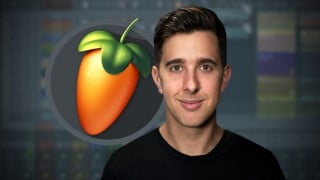

Learn the basics of FL Studio 20 in this beginner’s course. Improve the quality and speed of your music production with this powerful DAW. Enroll now!
Learn the Basics of How to Use FL Studio 20 in this Beginner’s Course
This course is all about FL Studio 20; a powerful piece of Music Production software. It is a Digital Audio Workstation for Windows and Mac OS X.
FL Studio is used by bedroom producers and in professional studios worldwide. Learning how to use this DAW correctly will dramatically improve the quality of your music and the speed you create it!
What is this FL Studio 20 Beginner’s Course all about?
In this course, you learn the essentials of how to use FL Studio 20. You will learn the basics so you can understand the workflow and navigate yourself around this software.
In this beginner’s course we’ll look at:
• A Brief Overview of the Main Interface of FL Studio
• Audio vs MIDI
• Essential MIDI and Audio Settings to get you Started
• A Brief Overview of the Browser in FL Studio
• A Overview of the Channel Rack
• How to Create a Drum Beat in the Channel Rack
• The Essentials of the Piano Roll
• How to Arrange a Beat in the Playlist
• How to Quickly Record MIDI in the Playlist
• The Basics of how to use the Mixer
• A Quick look at Reverb and the 3 Band EQ
• The Basics of how to use Automation Clips
• And Exporting Essentials
What you’ll learn in this FL Studio beginner’s course will help you understand the workflow of FL Studio, so you can learn how to create music in this software
BROUGHT TO YOU BY BEST-SELLING MUSIC PRODUCTION INSTRUCTOR TOMAS GEORGE
If you are looking for a course that will show you the basics of how to use FL Studio 20, then this is the course for you!
What makes us qualified to teach you?
Tomas George has a MMus Masters Degree in Music Production and a BA(Hons) Degree in Music Composition. He is also the creator of some of the world’s most popular music production courses – with over 280,000 students and thousands of 5-star reviews.
Go ahead and click the enroll button, and I’ll see you in lesson 1!
Cheers,
Tomas.
Who this course is for:
- Anyone who wants to learn the basics of how to use FL Studio
- Those interested in creating their own music in FL Studio
- DJs who want to start producing their own music
- Songwriters who want to record in their ideas in FL Studio
- Anyone who may be interested in switching to FL Studio 20 from another DAW
User Reviews
Be the first to review “Free FL Studio Tutorial – FL Studio 20 Introduction – Learn the Basics of FL Studio”
You must be logged in to post a review.



There are no reviews yet.