
Free Tutorial – Mechanical equipment Revit family creation
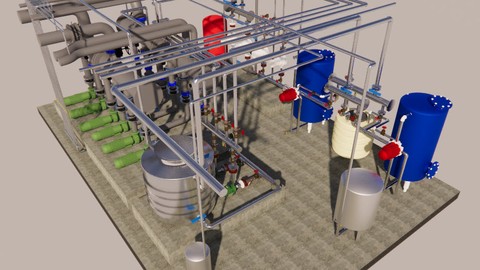

Learning Revit family and how creation a parametric family
kind of template family
change the dimension of the defined parametric measure
create a mechanical family (domestic hot water) for example
how to use template
how to connect the pipe,…
how to create kine of shape with extrotion, blend,revolve,sweep,…
Starting with the basics of creating simple components, we’ll move on to more complex design elements like mechanical equipment. You’ll learn how to make your families parametric, so they can be easily modified to meet changing design requirements. We’ll also cover best practices for organizing your families, so you and your team can quickly and easily find the right component for your project.
Starting out with the basic concepts, we will go from creating basic 3D geometry to developing complex systems of formula to create dynamic and highly functional families.
You will no longer feel anxious when asked to create a Revit family from scratch or to edit an already existing family in your projects. This course will give you the confidence to make the necessary changes or additions to your Revit content.
This course is independent of Autodesk, Inc., and is not authorized by, endorsed by, sponsored by, affiliated with, or otherwise approved by Autodesk, Inc.
Who this course is for:
- Beginner revit
User Reviews
Be the first to review “Free Tutorial – Mechanical equipment Revit family creation”
You must be logged in to post a review.




There are no reviews yet.