
Garageband IOS (iPhone/iPad): The Complete Beginners Guide
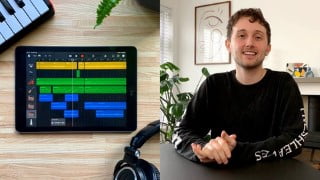

Learn how to use Garageband IOS, a powerful music production tool for beginners and pros alike. Create music, record instruments, mix tracks, and more. Perfect for beginners and anyone interested in music production. Get started today!
What you’ll learn
- The anatomy of Garageband IOS
- Basics of digital audio workstations
- How to use virtual instruments
- Music production basics
- Record guitar/bass
- Record audio/vocals
- How to mix music
- Compression, Reverb, EQ and other effects
- Use/edit Midi
- Use ‘smart instruments’ to write chord progressions
- Use the ‘Scales’ function to write melodies and lead parts
- How to sample
- Use FX to DJ tracks
- Quantisation
- Loops
- Songwriting
Show moreShow less
Garageband IOS (iPhone/iPad) is a creative powerhouse that anyone can use. It doesn’t matter where you are, what equipment you have or what you know about music. Garageband gives you all the tools you need to create.
Its simple and engaging interface is perfect for beginners who are just getting started with music production. But it’s also an invaluable tool for any seasoned pro to capture ideas as soon as inspiration strikes.
In this class, you’ll learn everything you need to get started with Garageband IOS and music production.
By the end of this course, you’ll have an excellent understanding of how to use the program. But I’ll also provide you with a tonne of information about songwriting, music production and mixing. From there, the possibilities are endless: orchestral film scores, chart-topping beats, 10-minute ballads and viral music sensations are all possible.
I highly recommend listening to this course with headphones/decent speakers. Some of the audio examples I present will be harder to hear through laptop or phone speakers.
I’d be more than happy to help you out, so please feel free to ask me any questions. You can write in the discussions or email at ‘mikebarnes1994@hotmail.co.uk’
Let’s get creative.
Who this course is for:
- Beginners to music production.
- Anyone interested in learning how to use Garageband.
User Reviews
Be the first to review “Garageband IOS (iPhone/iPad): The Complete Beginners Guide”
You must be logged in to post a review.





There are no reviews yet.