
Hard Surface Vehicles – The Complete 3D Production Pipeline
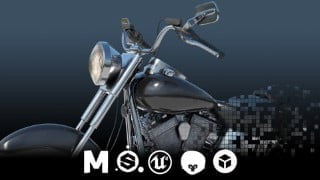

Learn advanced hard surface modeling techniques in Maya, including UV mapping, color IDs, normal maps, materials, and rendering. This tutorial covers the complete pipeline for creating a realistic motorcycle. Perfect for beginner to advanced students. Project files included. Recommended software: Maya 2020, Substance Painter 2019, Unreal, Marmoset, Sketchfab, Photoshop, and After Effects. 142 video tutorials available.
What you’ll learn
- Advanced Hard Surface Modeling in Maya
- Advanced UV Mapping Techniques in Maya
- Creating Color IDs in Maya using Vertex Color
- Creating Normal Maps in Substance Painter
- Assigning Materials in Substance Painter
- Rendering in Arnold
- Rendering in Marmoset
- Rendering in Unreal
- Rendering in Sketchfab
Hard Surface Vehicle Complete Pipeline – Maya / Substance / Unreal / Marmoset / Sketchfab Tutorial
[22hr 30min] Project Files Included
This a step-by-step tutorial showing how to model a realistic motorcycle in Maya. This course is designed to teach you how to take your hard surface modeling skills to the next level. You will see this motorcycle created from start to finish. You will see how to Model (Maya), UV Map (Maya), create Color IDs (Maya), create Normal Maps (Substance Painter), add Materials (Substance Painter) and Render (Arnold, Unreal, Marmoset, Sketchfab). You will be provided a project files to follow along every step of the way.
Recommended Software:
Maya 2020
Substance Painter 2019
Unreal, Marmoset, Sketchfab, Photoshop and After Effects
Video Tutorials
There are 142 Video Tutorials averaging about 10 minutes per video. These can be viewed in order or feel free to jump into any lesson to just learn a specific technique.
Who this course is for:
- Beginner to Advanced Students
User Reviews
Be the first to review “Hard Surface Vehicles – The Complete 3D Production Pipeline”
You must be logged in to post a review.



There are no reviews yet.