
Implementing Lookup Logic in SQL Server Integration Services
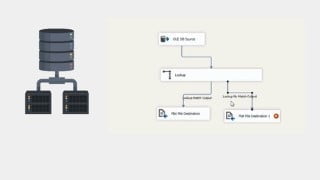

Learn how to perform lookups in SQL Server Integration Services (SSIS) using the Lookup transformation. This course is perfect for beginner data analysts, engineers, scientists, warehouse developers, and ETL developers.
What you’ll learn
- Implementing Lookup Logic in SQL Server Integration Services
- Create SSIS Package
- Create data flow task
- Write Data to a Cache
- Performing Lookups from Cached Data
- Running Your SSIS Package
SQL Server Integration Services is a component of the Microsoft SQL Server database software that can be used to perform a broad range of data migration tasks. SSIS is a platform for data integration and workflow applications. It features a data warehousing tool used for data extraction, transformation, and loading.
With SSIS, you can perform a lookup on data in the course of a task, using referenced data from any OLE DB source. It is a useful feature that enables you to check on the validity of data, or interpret it before proceeding.
There might be times when developing a SQL Server Integration Services (SSIS) package that you want to perform a lookup in order to supplement or validate the data in your data flow. A lookup lets you access data related to your current dataset without having to create a special structure to support that access.
To facilitate the ability to perform lookups, SSIS includes the Lookup transformation, which provides the mechanism necessary to access and retrieve data from a secondary dataset. The transformation works by joining the primary dataset (the input data) to the secondary dataset (the referenced data). SSIS attempts to perform an equi-join based on one or more matching columns in the input and referenced datasets, just like you would join two tables in in a SQL Server database.
Because SSIS uses an equi-join, each row of the input dataset must match at least one row in the referenced dataset. The rows are considered matching if the values in the joined columns are equal. By default, if an input row cannot be joined to a referenced row, the Lookup transformation treats the row as an error. However, you can override the default behaviour by configuring the transformation to instead redirect any rows without a match to a specific output. If an input row matches multiple rows in the referenced dataset, the transformation uses only the first row. The way in which the other rows are treated depends on how the transformation is configured.
The Lookup transformation lets you access a referenced dataset either through an OLE DB connection manager or through a Cache connection manager. The Cache connection manager accesses the dataset held in an in-memory cache store throughout the duration of the package execution. You can also persist the cache to a cache file (.caw) so it can be available to multiple packages or be deployed to several computers.
Who this course is for:
- Beginner Data Analyst
- Beginner Data Engineer
- Beginner Data Scientist
- Beginner Data Warehouse developer
- Beginner ETL developer
User Reviews
Be the first to review “Implementing Lookup Logic in SQL Server Integration Services”
You must be logged in to post a review.



There are no reviews yet.