
Intro to Substance Painter – Creating Materials
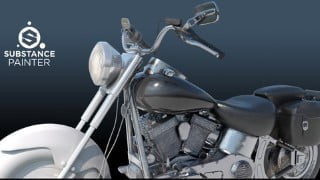

Learn how to use Substance Painter for all your texturing and material needs. From importing models to exporting final texture maps, this tutorial covers it all. Perfect for beginner to advanced users.
What you’ll learn
- Baking Maps
- Adding Materials to Color IDs
- Using Generators
- Create Glowing Effects
- Editing Baked Maps
- Adding Stickers
- Using Smart Masks
- Diliation Explained
- Exporting Maps
Realistic Materials – Substance Painter Tutorial
[1hr 46min] Project Files Included
This a step-by-step tutorial showing how to use Substance Painter for all your texturing and material needs. You will learn everything you need to know from Importing models to Exporting final Texture Maps. By the end of the lesson you will know how to Bake Maps, Work with Multiple Texture Sets, Use Generators, Create Emissive Maps, Use Smart Masks, Add Materials to specific Color IDs and more.
Files:
All files need Substance Painter 2019.2.3 or newer to open
Who this course is for:
- Beginner to Advanced Substance Painter Users
User Reviews
Be the first to review “Intro to Substance Painter – Creating Materials”
You must be logged in to post a review.



There are no reviews yet.