
Learn Unity Games Engine & C# By Creating A VR Space Shooter
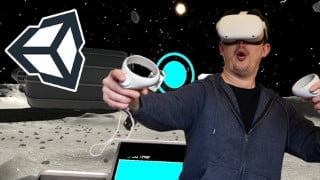

Learn Unity game development from scratch and create your own VR experience. This beginner-friendly course covers installation, asset importing, VR camera setup, C# scripting, UI design, and more. Perfect for game developers, 3D artists, and those interested in VR.
What you’ll learn
- Installing Unity Hub and the Unity Game Engine
- Navigating the Unity’s user interface
- Importing and preparing 3D assets
- Getting Unity Ready for Virtual Reality a look at some Unity engine settings
- Creating A Moon Base – Creative session! use provided assets to personalise your moon base
- Lighting an environment using Unity directional lights, spotlights and baking
- Setting up the VR Camera – using Unity’s XR interaction toolkit
- Take a look at the base in VR! – building to the Oculus Quest
- Adding your hands – use C# combined with animator blend trees to control your hands.
- Picking up your weapon – using Unitys XR interactions
- Shooting your gun – an intro to C#
- Using Unity’s C# events system
- Spawning the asteroids – coding in C# to instantiate objects into our scene
- Creating a Game Manager, a C# class that looks after everything our game is doing.
- C# static variables
- C# Enums
- C# Interfaces
- Keeping track of your score – an intro to user interface in VR using Unitys canvas system
- Shooting the Asteroids checking collisions in C# within the unity physics system
- Creating a timer using C# to create a timer controlling play duration
- How to optimise your game for the Oculus Quest
- Bug fixing
- Post Processing
- Particle System
Show moreShow less
***UPDATED FOR 2022***
This course is designed to take you from Unity beginner to game developer! I’ll show you the process I go through when creating games in unity starting from scratch! from creating a project all the way to a final build.
Using the free art assets provided you will construct your moonbase then learn how to pick up objects using your virtual hands, shoot laser guns, destroy asteroids and add user interface elements to enhance the experience!
We will create some simple C# scripts that create all the systems behind the game, such as spawning asteroids, managing the player score and controlling the timer. Then to round off the project we add some nice finishing particle effects.
This course is going to teach you the following topics:
Where to find Unity, and how to install it
Configuring Unity for VR
Using Unity’s XR interaction system
Dealing with art assets and 3D models
Lighting 3D environments
C# scripts to create custom functionality
Building our application to the Oculus Quest
User interface systems
C# Game manager to control our application
C# Event system
C# Interfaces
C# Enums
Adding audio to our game
Particle Systems
Controlling game objects through C#
Post-processing
Building to our Oculus device
This course uses unity 2019.3 and XR interaction toolkit version 0.9.4.
Everything is designed to be a beginner level so that you can follow along and create your own game with ease. Even intermediate users of Unity will find this useful to learn VR application development
Who this course is for:
- Beginner game developers
- 3D Artists
- Technical Artists
- developers looking to get into VR
User Reviews
Be the first to review “Learn Unity Games Engine & C# By Creating A VR Space Shooter”
You must be logged in to post a review.




There are no reviews yet.