
Little Adventurer 2D : Make a 2D Action Game with Godot 4
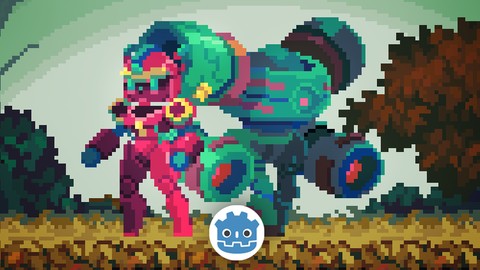

What you’ll learn
- Learn to make a good-looking 2D action game with Godot
- Learn how to code a 2D game in GDScript
- Learn how to control the player’s 2D movement
- Learn how to use the AutoTile system with the TileMap node
- Learn how to design a 2D game level by painting the tiles
- Learn how to create the 2D parallax background layers
- Learn how to control 2D animations with the animatedSprite2D node
- Learn how to create the attack & health system
- Learn how to create a 2D bullet system
- Learn how to create the patrol behavior for the enemy
- Learn how to create a coin-collecting system
- Learn how to create the 2D one-way platform
- Learn how to control 2D VFX
- Learn how to handle the 2D physics layers and physics detection
- Learn how to create game UI in Godot, like the health bar UI & the restart button
- Learn how to use some GDScript unique features like the annotations, the setter and the signal system
- Learn how to use the Autoload system to control the gameplay flow
- Learn how to reload the game scene to restart the game
- Learn how to export the game project into executable files
- Learn how to use Godot’s input system
Hello, I’m Single-minded Ryan, a game developer and digital artist.
In this course, we are going to create a classic 2D platformer game, with high-quality game assets.
In the game you will control Andie, our little adventurer, to explore an ancient 2D world. You’ll need to defeat the enemies and reach the portal at the end of the level to finish the game.
My goal is to create a visual-oriented course to make you feel like you are making a real 2D game from scratch.
This course comes with a high-quality game asset package, including the player and enemy animations, VFX files, parallax backgrounds (some are animated), and a level tileMap.
(sound & music not included at the moment)
Along this course, you’ll learn everything you need to start your 2D platformer. From how to design the level using the AutoTile feature, how to control the 2D animations with the animatedSprite2D node, how to code the movement and the enemy patrol behavior, how to create the close-range attack and projectile systems, how to create the pick-up item and the VFX, how to create and control the game UI, all the way to how to export the game project into executable files.
I’ll try to focus on every detail, but at the same time, it would be great if you have some basic experience with some programming language. You don’t necessarily need to know anything about GDScript, but it helps if you understand some general programming ideas such as how variables and functions work.
By the end of this course, you will have a 2D platformer that you can show off to your friends.
Please enroll today, I’m looking forward to seeing you in the course.
At the end of this course, you will be able to do things like:
How to code in GDScript, which is Godot’s built-in programming language
How to control the player’s 2D movement
How to use the AutoTile system with the TileMap node
How to design a 2D game level by painting the tiles
How to create the 2D parallax background layers
How to control 2D animations with the animatedSprite2D node
How to create the attack & health system
How to create a 2D bullet system
How to create the patrol behavior for the enemy
How to create a pick-up item
How to control 2D VFX
How to handle the 2D physics layers and physics detection
How to create game UI in Godot, like the health bar UI & the restart button
How to use the Autoload system to control the gameplay flow
How to reload the game scene to restart the game
How to use Godot’s input system
How to customize Godot’s settings for your game and your workflow
export the game project into executable files
Please NOTE that this course DOES NOT contain any sound and music assets at the moment.
*All of the assets (the tile map, animation files, VFX files, background files, etc.) provided in this course are only for educational purposes, please do not use them in any commercial projects.
Who this course is for:
- Beginners who wants to make good-looking 2D games with Godot
- Beginners who wants to learn how to design 2D game levels
- Beginners who wants to improve their GDScript skills for 2D games
User Reviews
Be the first to review “Little Adventurer 2D : Make a 2D Action Game with Godot 4”
You must be logged in to post a review.





There are no reviews yet.