
Living Room Interior Design SketchUp Walkthrough
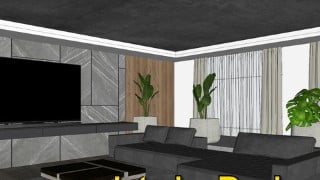

Learn how to create stunning 3D interior designs using SketchUp. This course teaches you how to model, add furniture, textures, and lighting effects. Perfect for SketchUp beginners. Submit your assignment and improve your skills. Contact the instructor for any doubts.
What you’ll learn
- Living Room Interior Design SketchUp Walkthrough
Hi there, my name is Khushal. This is a walkthrough on Living Room Interior Design SketchUp.
This course is for people looking too make 3D SketchUp models. The people who are familiar with sketchup.
Learn how to block model, add furniture, add textures, set scenes and export views from SketchUp.
This class is a follow up to my previous class on SketchUp beginners Guide and Make your first sketchup model.
Prerequisite knowledge of previous class is necessary in this lesson.
If you have already watched it you could download the required files for this class from the Class Project section
Hey, I have a small project for you guys.
Follow all the lessons in this class to complete your assignment to create an interior design and submit your assignment in the reviews and discussion panel.
Download the files required for this project here below.
Create the rendering as per the instructions and try improving on the design by adding more lighting effects and importing models of human figures.
I hope you find this class helpful, for any further doubts feel free to contact me in the discussion or comments section below the course.
You can also find my exclusive content like Q&A, Live streams and one on one Individual meetings on Patreon just search createwithkp on patreon.
Thank you for your support.
Who this course is for:
- SketchUp 3D modeling
User Reviews
Be the first to review “Living Room Interior Design SketchUp Walkthrough”
You must be logged in to post a review.





There are no reviews yet.