
Make a 2D Platformer Character with State Machines in Unity


Learn how to create a fully movable 2D platformer character using dynamic rigidbody physics in Unity. Perfect for beginners in game development.
What you’ll learn
- Make a fully movable 2d platformer character using dynamic rigidbody physics
- Turn a spritesheet into 2d animation sequences compatible with the Unity engine
- Study C# coding basics for writing controls, states, and physics interactions
- Explore Unity engine topics for beginners game development
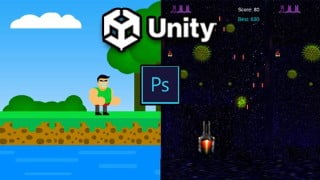
This course will show you how to take an animated sprite character and use it in Unity engine to setup a fully playable and animated player character GameObject. In this series, we will utilize the unity animator component & state machines to allow our character to transition from one animation like idle, run, jump, and wall jump to the next at the correct time. We will also cover how to setup character movement scripts for moving the player’s rigidbody. By the end you should have a functioning 2d platformer character with a clean state machine setup and nicely separated state machine behaviours for controlling each state (or substate machine when you want to apply one script to multiple states at once!)
Create a 2d platformer character with movement scripts for running and jumping around your level.
Especially meant for beginners who want to build their first controllable characters inside of the Unity engine.
Sprite based animation setup. How to create animation clips
In the course we’ll set up and make running, jumping, double jumping, wall sliding, and jumping off of a wall slide.
Same basic principles can apply if you need to make attack states, dashes, slides, or the like in the future.
Using the Unity State Machine System.
Transitions, State Behaviour Scripts, and Substate Machines
How to talk to and from the animator when getting player input and assigning forces to your Rigidbody character
How to Create Tilemaps and setup collisions with the ground and walls
Let states hold code that are specific to that state to separate tasks.
Who this course is for:
- Anyone interested in making 2D, platformer, or pixel art games or just games in general
- People who are new to the Unity engine or game development
- Those looking for a quick and fun coding project
User Reviews
Be the first to review “Make a 2D Platformer Character with State Machines in Unity”
You must be logged in to post a review.


There are no reviews yet.