
Masterclass for Mockup : Make your design standout.

Learn how to create realistic mockups in Adobe Photoshop with this comprehensive course. Discover the benefits of using smart objects, find the best website links for mockup images, and gain a complete understanding of creating your own mockups. Get 4 mockup files worth $120 for free. Suitable for artists, graphic designers, and branding experts looking to enhance their design presentations. Divided into four levels, you’ll learn to create book covers, tri-fold brochures, mug designs, and t-shirt mockups. All you need is the provided images and a trial version of Photoshop. Follow me on Instagram, Facebook, and YouTube. Perfect for beginners and those in the creative fields.
What you’ll learn
- Complete understanding to create your own mockups.
- Benefits of using the smart object and how to create it.
- Tips to some of the best website links for images to create mockup
- As a Bonus Get 4 Mockup File worth $120 complete Free. (See Attachments)
Creating a good design takes time and effort but presentation is one of the key to make your design standout and mockup plays a major role in it.
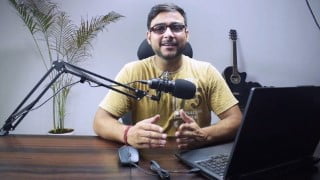
Hii, my name is shubham and in this course together we will learn all about mockups that will make your design standout. We will learn to create reusable realistic mockup in Adobe photoshop.
This course is helpful to all the people that comes from the creative fields and want to create impactful design presentation like artist, graphic designers and branding experts.
——————————————————-
Things you will get out of this course
Get 4 Mockup File worth $120 complete Free. (See Attachments)
Tips to some of the best website links for images to create mockup
Benefits of using the smart object and how to create it.
Complete understanding to create your own mockups.
——————————————————-
This class will be divided into Four Levels
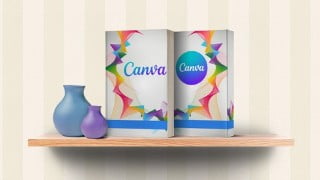
1 Novice Level : Book Cover Mockup
A really simple way to create mockup fast with layer blending options
2 Apprentice Level : Tri-fold Brochure Mockup
By using Perspective warp tool we will create a brochure mockup
3 Expert Level : Mug Mockup
Learn to create a mug mockup also a halftone design with replaceable smart object
4 Mastery Level : T-shirt Mockup
Create Front and Back T-shirt mockup and understand different layer modes and displacement map
——————————————————-
Things you need to take this class
Images – Given in Attachments
Photoshop Software – Get Free trail version from here Photoshop Trial Version
——————————————————-
Where You Can Find Me?
Instagram | Facebook | Youtube
Who this course is for:
- People from the creative fields who wants to create impactful design presentation
- Beginner’s graphic designer who wants to make thier design standout
- Artist and Branding Experts
User Reviews
Be the first to review “Masterclass for Mockup : Make your design standout.”
You must be logged in to post a review.




There are no reviews yet.