
Microcontroller Embedded C Programming: Absolute Beginners
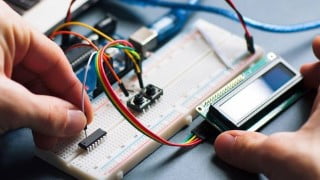

This course provides a ‘hardware-free’ introduction to embedded software for students who already know how to write software for ‘desktop’ computer systems and are familiar with a C-based language. It covers topics such as programming embedded systems in C, introducing the 8051 microcontroller family, reading switches, adding structure to code, meeting real-time constraints, creating an embedded operating system, using the serial interface, and a case study on an intruder alarm system. Suitable for those who want to learn how C is used in practical embedded systems.
What you’ll learn
- 8051 microcontroller family
- Reading switches
- Adding structure to code
- Real-time constraints
An embedded system is an application that contains at least one programmable computer (typically in the form of a microcontroller, a microprocessor or digital signal processor chip) and which is used by individuals who are, in the main, unaware that the system is computer-based. Use of embedded processors in passenger cars, mobile phones, medical equipment, aerospace systems and defence systems is widespread, and even everyday domestic appliances such as dishwashers, televisions, washing machines and video recorders now include at least one such device.
This course provides a ‘hardware-free’ introduction to embedded software for students who:
● Already know how to write software for ‘desktop’ computer systems.
● Are familiar with a C-based language (Java, C++ or C).
● Want to learn how C is used in practical embedded systems.
Chapter 1 Programming embedded systems in C
Introduction
What is an embedded system?
Which processor should you use?
Which programming language should you use?
Which operating system should you use?
How do you develop embedded software?
Conclusions
Chapter 2 Introducing the 8051 microcontroller family
Introduction
What’s in a name?
The external interface of the Standard 8051
Reset requirements
Clock frequency and performance
Memory issues
I/O pins
Timers
Interrupts
Serial interface
Power consumption
Conclusions
Chapter 3 Hello Embedded World
Introduction
Installing the Keil software and loading the project
Configuring the simulator
Building the target
Running the simulation
Dissecting the program
Aside: Building the hardware
Conclusions
Chapter 4 Reading switches
Introduction
Basic techniques for reading from port pins
Example: Reading and writing bytes
Example: Reading and writing bits (simple version)
Example: Reading and writing bits (generic version)
The need for pull-up resistors
Dealing with switch bounce
Example: Reading switch inputs (basic code)
Example: Counting goats
Conclusions
Chapter 5 Adding structure to your code
Introduction
Object-oriented programming with C
The Project Header (MAIN.H)
The Port Header (PORT.H)
Example: Restructuring the ‘Hello Embedded World’ example
Example: Restructuring the goat-counting example
Further examples
Conclusions
Chapter 6 Meeting real-time constraints
Introduction
Creating ‘hardware delays’ using Timer 0 and Timer 1
Example: Generating a precise 50 ms delay
Example: Creating a portable hardware delay
Why not use Timer 2?
The need for ‘timeout’ mechanisms
Creating loop timeouts
Example: Testing loop timeouts
Example: A more reliable switch interface
Creating hardware timeouts
Example: Testing a hardware timeout
Conclusions
Chapter 7 Creating an embedded operating system
Introduction
The basis of a simple embedded OS
Introducing sEOS
Using Timer 0 or Timer 1
Is this approach portable?
Alternative system architectures
Important design considerations when using sEOS
Example: Milk pasteurization
Conclusions
Chapter 8 Multi-state systems and function sequences
Introduction
Implementing a Multi-State (Timed) system
Example: Traffic light sequencing
Example: Animatronic dinosaur
Implementing a Multi-State (Input/Timed) system
Example: Controller for a washing machine
Conclusions
Chapter 9 Using the serial interface
Introduction
What is RS-232?
Does RS-232 still matter?
The basic RS-232 protocol
Asynchronous data transmission and baud rates
Flow control
The software architecture
Using the on-chip UART for RS-232 communications
Memory requirements
Example: Displaying elapsed time on a PC
The Serial-Menu architecture
Example: Data acquisition
Example: Remote-control robot
Conclusions
Chapter 10 Case study: Intruder alarm system
Introduction
The software architecture
Key software components used in this example
Running the program
The software
Conclusions
Chapter 11 Where do we go from here
Introduction
Have we achieved our aims?
Suggestions for further study
Patterns for Time-Triggered Embedded Systems
Embedded Operating Systems
Conclusions
Who this course is for:
- Want to learn how C is used in practical embedded systems
User Reviews
Be the first to review “Microcontroller Embedded C Programming: Absolute Beginners”
You must be logged in to post a review.




There are no reviews yet.