
Migrate Microsoft Access Databases To SQL Server
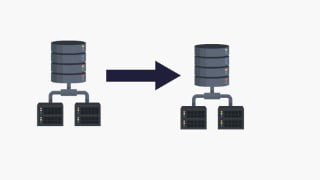

Learn how to migrate an Access Database to SQL Server using Microsoft’s SSMA tool. This course is perfect for beginners looking to master database migration.
What you’ll learn
- Setup Access Database
- Setup SQL Server
- Backup Access Database
- Create pre-migration assessment report
- Convert Access Database Schema To SQL Server
- Migrate Access Database To SQL Server
- Perform Post Migration Checks
Database migration is the process of migrating data from one or more source databases to one or more target databases using a database migration service or tool. When a migration is finished, the dataset in the source databases resides fully, though possibly restructured, in the target database .
In this course we will be migrating an Access Database into SQL Server using SQL Server Migration Assistant for Access.
SQL Server Migration Assistant (SSMA) is a free supported tool from Microsoft that simplifies database migration process from Access to SQL Server, Azure SQL Database and Azure SQL Database Managed Instance. SSMA for Access automates conversion of Microsoft Access database objects to SQL Server, Azure SQL Database or Azure SQL Database Managed Instance objects, loads the objects and migrates data to the target database.
SSMA for Access is designed to support migration from Microsoft Access 97 and higher to all editions of SQL Server 2012 through SQL Server 2019, Azure SQL Database and Azure SQL Database Managed Instance.
By using SSMA for Access, you can review database objects and data and assess databases for migration.
We will convert the Access database schema to SQL Server before migrating the data. After the migration we will query both the source and target databases to validate the data.
Who this course is for:
- Beginners to Database Migration
User Reviews
Be the first to review “Migrate Microsoft Access Databases To SQL Server”
You must be logged in to post a review.





There are no reviews yet.