
Modern Interior Visualization Workshop
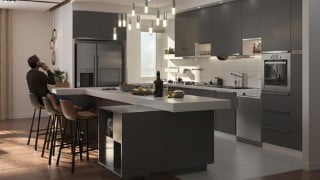

Learn how to create realistic architectural renderings using 3ds Max and Corona renderer. Perfect for architecture students and interior designers.
What you’ll learn
- In the first part, modeling is explained, how to create a building and, how to make 2D of designs into a 3D model, how to export Cad file into 3Ds Max.
- The checking unit setup is explained as well. In this part Editable poly is used as the major modifier for modeling besides some other useful modifiers like
- Shell, Extrude, Floor generator and etc. I introduced some of useful website for downloading high quality furniture.
- In the second part, setting cameras is explained completely. In this tutorial, there are several views, 3 main views, and 3 close up views.
- Therefore, some parameters needed to be changed that I explained it in this part.
- In the third part, lighting is necessary to be taught. Simulating natural light beside artificial lights is the major part.
- I explained most parameters in lighting which were used in this scene.
- In the fourth part, creating diverse materials is discussed. How to make marble stone, parquet, wood, wall color, cabinet color and etc.
- This part is so crucial for having a realistic result.
- In the final step, render setup and its parameters were taught. Some items had to be changed for having the best quality.
- After rendering how to make post-production with the CXR file is completely explained.
Show moreShow less
In this tutorial, I tried to divide it into five parts in order to explain everything completely.
1- In the first part, modeling is explained, how to create a building and, how to make 2D of designs into a 3D model, how to export Cad file into 3Ds Max. The checking unit setup is explained as well. In this part Editable poly is used as the major modifier for modeling besides some other useful modifiers like Shell, Extrude, Floor generator and etc. I introduced some useful websites for downloading high-quality furniture.
2- In the second part, setting cameras is explained completely. In this tutorial, there are several views, 3 main views, and 3 close-up views. Therefore, some parameters needed to be changed that I explained in this part.
3- In the third part, lighting is necessary to be taught. Simulating natural light beside artificial lights is the major part. I explained most parameters in lighting which were used in this scene.
4- In the fourth part, creating diverse materials is discussed. How to make marble stone, parquet, wood, wall color, cabinet color and etc. This part is so crucial for having a realistic result.
5- In the final step, render setup and its parameters were taught. Some items had to be changed for having the best quality. After rendering how to make post-production with the CXR file is completely explained
Who this course is for:
- All architecture students.
- Professional and armature interior designers who seeks to standout in terms of presentation.
- All architects who have some interest in CGI presentation
- Current 3ds Max users who want to learn how to work with Corona renderer.
- Anyone who may interested in rendering
User Reviews
Be the first to review “Modern Interior Visualization Workshop”
You must be logged in to post a review.



There are no reviews yet.