
Modern Unity UI with UI Toolkit
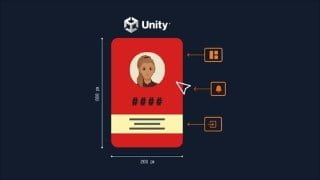

Learn how to create modern and reusable User Interfaces in Unity with this deep dive into Unity’s UI Toolkit. Understand all UI Toolkit components, manipulate your UI from scripts, and combine your UI and gamelogic. Perfect for Unity developers interested in User Interfaces.
What you’ll learn
- Create modern and reusable User Interfaces in Unity
- Understand all UI Toolkit components
- Manipulate your UI from scripts
- Combine your UI and gamelogic
This course is a deep dive into Unity’s UI Toolkit. You will learn most of the components that make up UI Toolkit and be able to create complex UI Systems for your games or apps.
This course uses a mix of theory and practice. We will create dozens of little UI-Components and examples. Furthermore, we will have a course project on which we will practice what we learned in the particular chapters. Finally, we will bring it all together and create a fully functional UI-based game.
While this course is not explicitly covering Editor Scripting most of the content in the course will also apply to it.
Here are some of the topics that we will cover:
Understanding UXML and USS Files
Understand the basic building blocks of UI Toolkit. We will talk about the concept of a visual tree and why it’s a good idea to separate structure, styling and behavior.
Layouts with FLEXBOX
UI Toolkit uses the Flexbox system which is also used in web technologies.
Templates
We will learn how we can reuse pieces of our layout with templates.
Events and Event Propagation
No UI System can function without events. UI Toolkit has its own Event-System with modern features like event-propagation which we can use to our advantage.
UQuery
Unity is still a game engine, so more often than not most of your work will be done through scripts. U need an efficient way to connect your scripts and your UI and manipulate certain elements of your UI. In order to do that you first need to find those elements. UQuery provides a comfortable way how you can do that.
Data Binding
While for editor scripting there is already a system in place which helps you bind your data to your components, this is not the case for runtime. Therefore we will look at some tools and techniques how you can do this manually.
Custom Components
UI Toolkit has a library of several build-in controls, but obviously, those can not cover every use case that you might come across. In this section, we will see how to create our own controls and thereby create our own little library of reusable UI Elements.
Manipulators
One rule of good software development is the separation of concerns. In this section, we will learn how we can group the behavior of particular elements into manipulators.
and much more…
Who this course is for:
- Unity developers interested in User Interfaces
User Reviews
Be the first to review “Modern Unity UI with UI Toolkit”
You must be logged in to post a review.



There are no reviews yet.