
OpenToonz the complete course to create 2D animations
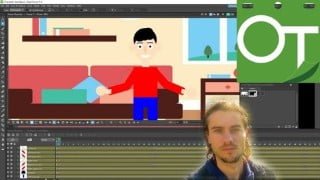

Learn OpenToonz, a powerful open-source 2D animation software. Master the dashboard, create animations with keyframes, and add effects. Perfect for beginners and professionals.
What you’ll learn
- Understand dashboard
- Create project and scene
- Save and export
- Draw shapes
- Edit shapes and lines
- Difference between columns and levels
- Manage colors
- Add text
- Start animation
- Understand timeline
- Add keyframes
- Play animation
- Create interpolations
- Use function editor
- Create parenting
- Add effects
- Add background
- Import images
- Animate image with mesh
- Add skeleton
- Animate bouncing ball
- Animate caterpillar
- Animate character with different column creations
- Animate drawing
Show moreShow less
OpenToonz
OpenToonz is a powerful 2D vector animation software. It is open source and easily accessible. OpenToonz have a lot of features. It is software that often seems very complex at first glance. The entire software is optimized to produce quality 2D animations, in vector format or in raster format. It is designed for use by professionals as well as beginners and has many features specifically to their needs. The interface, although confusing for beginners, is very ergonomic with a quality layout.
Advantages of the software
– Open source software
– Many design tools available
– We can work on a vector or raster format
– The ability to create animations with keyframes and a sequence of images
– A powerful system of columns and levels
– Addition of gradient colors and textures
– A very ergonomic timeline
– It is possible to add many effects with advanced parameters
– It is possible to create a mesh on a PNG image to then animate it
– Create simple or complex animations
Training course
A structured training that will allow you to learn OpenToonz step by step and in detail. This training will allow you to master the dashboard and all the windows. You will be able to understand the system of columns and levels in detail. The different design tools will be presented to make drawings. It will also be seen the addition of colors, gradients or texture. The animation part will then be processed. You will be able to understand how the timeline works, to create animations with keyframes. The function editor, or even interpolations, are explained to work best with animations. Several training sessions will be present in the training, such as the bouncing ball, the moving caterpillar, the changing sky, or even the creation of a character, step by step, with the creation of an animation.
Who this course is for:
- People who want to make 2D animation
- People who want open source software to create 2D animation
User Reviews
Be the first to review “OpenToonz the complete course to create 2D animations”
You must be logged in to post a review.



There are no reviews yet.