
Photopea: Layer Masks with free Photoshop Alternative
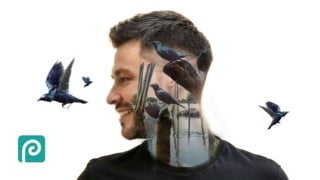

Learn essential design skills using layer masks in Photopea, the best free Photoshop alternative. Stand out in the job market and create professional work for yourself and clients. No subscription needed. Enroll now!
What you’ll learn
- Use layer masks for creative, professional effects
- Ability to use masks within Photopea & Photoshop
- Remove the backgrounds from images even when fur or hair is involved
- Easily change the colors of images using the pen tool
- Add shadows to images
- Create stylish text effects
- Ability to use Clipping Masks
- Use tools including Magic Cut, Quick Selection and Refine Edge
- Use features such as photo effect filters and adjustment layers
- Gain skills to make you stand out from the crowd and which you can monetize
- Create professional work for yourself and clients
Show moreShow less
*Do you want to learn Photoshop but don’t like the subscription?
*Do you want design skills that you can use in the job market?
*Do you want access to professional design software with PSDs, layers and masks?
If YES, this course will help you because Photopea is the best free Photoshop alternative.
WHO IS THIS COURSE FOR?
*If you want to learn how to use masks, from Beginner to Pro, so you can work creatively and professionally, then take this course.
*If you want to learn creative skills for freelancing or working as an employee.
*If your career requires the creation and use of photographs, graphics and illustrations.
WHAT IS THE COURSE ABOUT?
It teaches you the essential component of design software – understanding how to use layer masks.
Masks mean you can edit your work non-destructively. You can make any changes to an image, without destroying any part of it – like you would do if you used an eraser tool.
The great thing about masks also is that you can create amazing visual effects with them.
They are essential to professional design work and not only that – they are very, very exciting!
WHAT WILL THIS COURSE TEACH ME?
This course will teach you in-demand creative design skills which which employers are looking for such as:
how to use design software – you’ll be able to use both Photopea & Photoshop
use layer masks for an efficient, creative and professional workflow
image-editing
working with typography | text
I was so excited when I discovered Photopea. It has opened up a world of creative and professional opportunities.
If you’re excited too, then join me in the course and enrol now!
Who this course is for:
- Learners who want to acquire essential masking design skills.
- Freelancers, wanting to stand out from the crowd, in the job market.
User Reviews
Be the first to review “Photopea: Layer Masks with free Photoshop Alternative”
You must be logged in to post a review.




There are no reviews yet.