
Photopea the complete course photo editing and photo montage
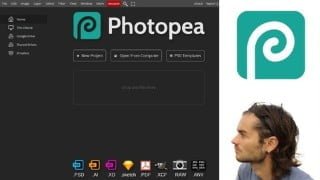

Learn Photopea, a free alternative to Photoshop, for graphic design, photo editing, and montage. Master selections, transformations, adjustments, and filters. Perfect for those seeking a quality interface and a free tool.
What you’ll learn
- Start with Photopea
- Master dashboard
- Create document
- Export work
- Master layers
- Use layer mask
- Work with images
- Create selections
- Refine selections
- Use transformation tools
- Use path tools
- Create shapes
- Add photo adjustments
- Use layer adjustments
- Use filters
- Create effects with filters
- Convert to smart object
- Use clipping mask
- Use grid
- Add guides
- Master alignments
- Create photo montage
- Edit photos
- Edit face
- Create graphic documents
Show moreShow less
Photopea
Photopea is a software for photo editing, photo montage, and graphic documents creation. It can be considered as an alternative to Photoshop because its interface is essentially the same, and the software has a number of similar features. It offers advanced features to create selections, customize images, photos and illustrations. It is possible to make photo montages, graphic documents, add text, change colors and much more. It is a very complete photo editing and photo editing software that incorporates the main features of Photoshop.
Why to use Photopea?
– It is a free Photoshop alternative
– There is a paid version accessible and and allowing to remove advertisements
– It has a quality interface
– The selection tools are impressive
– Many transformation tools are similar to Photoshop
– It is possible to work on adjustment layers
– It is possible to add many filters
– In addition to photo editing and retouching, you can create various graphic documents
– There is an online version and a desktop version
Training course
In this training you will learn Photopea from scratch. All the features of the software will be studied in this course. Getting started with the dashboard, creating and exporting documents. Using the layers panel or the layer mask as an essential element to start. Then, you will learn the selections in detail, because it is one of the very important points in photo editing, but also the transformation tools. You will see how to improve photos with adjustments and adjustment layers, but also how to add effects with filters. Lots of training projects will be there. At the end of the training, you will be able to master Photopea perfectly well.
Who this course is for:
- People who want a graphic design software
- People who want to have a free tool for photo editing and photo montage
- People who want a free alternative to photoshop
User Reviews
Be the first to review “Photopea the complete course photo editing and photo montage”
You must be logged in to post a review.



There are no reviews yet.