
Photorealistic Product Design with Blender
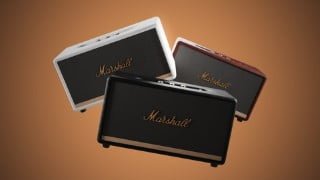

Learn how to create stunning photorealistic product renderings with Blender. Perfect for students, freelancers, and 3D enthusiasts. Start today!
What you’ll learn
- Modelling products from references and sketches
- Photorealistic shading of various materials
- Basic Lighting and art direction in 3D scenes
- Rendering and compositing finished 3D renders
Welcome to my Photorealistic Product Rendering Course with Blender!
If you always wanted to create stunning photorealistic close up shots of product you came to the right place!
In this course you will learn how to set up a workflow for creating photorealistic product design renderings.
Together we will go through the whole process of modelling out a product. Starting with setting up our scene properly and blocking out our geometry. Then, step by step, we will start adding more details so our model is appealing to the viewers eye.
Shading is the most important part as soon as it comes to photorealism, this is going to be the most difficult part, but as everything in life, practice and time makes the dream work! So we are going to take a deep look into surface imperfections, procedural shading and displacement maps.
Last but not least we start working with different render layers. This is the most important part if you want to get into compositing or get the best out of your renders – it is going to take your images to the next level!
Once you mastered modelling, shading and compositing you will be able to create stunning images and animations!
Don’t hesitate to ask questions, everybody needs help from time to time and I’m always there to help you out!
Who this course is for:
- Students who want to get more experienced in the 3D field
- Freelancers who want to get started with product design
- People who are interested in 3D modelling and making stunning renders
User Reviews
Be the first to review “Photorealistic Product Design with Blender”
You must be logged in to post a review.





There are no reviews yet.