
QuickBooks Desktop Pro 2022 Made Easy for Beginners
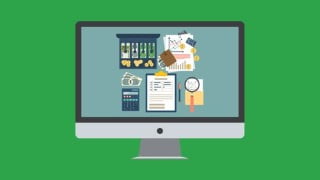

Learn how to navigate and customize QuickBooks Desktop 2022, manage expenses, reconcile bank statements, generate reports, and more in this comprehensive video-led training course. Perfect for small business owners and those managing QuickBooks for a small business. Get up and running with QuickBooks today!
Navigating QuickBooks Desktop 2022 and customizing it according to your needsCreating a chart of accounts and setting up your company file in QuickBooksReconciling bank statements and bank feeds and dealing with checks and credit card accountsManaging expenses including mileage, invoicing, entering bills, and setting up loans and loan paymentsUsing the QuickBooks payroll functionality and managing customers and jobsWorking with inventory, creating purchase orders, and paying for itemsCreating a budget, generating budget reports, and producing other reportsCreating estimates in QuickBooks, working with sales tax, and setting up automated payment remindersScanning and uploading receipts using the receipt management appDifferentiating between the Canadian and US versions of QuickBooksConverting QuickBooks account from PC to Mac and backing up your QuickBooks company dataShow moreShow lessThis no-nonsense training will get you up and running with QuickBooks Desktop 2022. It is a comprehensive course that starts at the very beginning and assumes no prior knowledge. Your expert instructor will guide you every step of the way on how to put QuickBooks to work.This isn’t our first QuickBooks course. In fact, we produce a new QuickBooks Desktop course each year, so we know the application well, and we know how to teach it!This self-paced course covers all the essential QuickBooks functionalities, from setting up a company file and chart of accounts correctly to tracking mileage, processing payroll, generating reports, invoicing, and so much more.This course also highlights the new QuickBooks 2022 features, such as uploading and reviewing bills, payment links, adding multiple customer contacts to emails, eCommerce for QuickBooks, and customizing bill payment stubs.This is a video-led training course and is suitable for Windows or Mac users.This course covers:Navigating QuickBooks Desktop 2022Creating a chart of accountsSetting up your company file in QuickBooksReconciling bank statements and bank feedsManaging expenses including mileageSetting up automated payment remindersCustomizing QuickBooks to your needsUsing the QuickBooks payroll functionalityCreating a budget and generating budget reportsInvoicing and entering billsCreating estimates in QuickBooksManaging customers and jobsWorking with sales taxSetting up loans and loan paymentsWorking with inventory, creating purchase orders, and paying for itemsDealing with checks and credit card accountsUsing QuickBooks to produce reportsConverting QuickBooks account from PC to MacScanning and uploading receipts using the receipt management appDifferentiating between the Canadian and US versions of QuickBooksBacking up your QuickBooks company dataThis course includes:9 hours of video tutorials96 individual video lecturesCertificate of completionWho this course is for:Small business owners or those managing QuickBooks for a small business.If you own a small business, freelance as a bookkeeper, or simply manage your company’s accounts in QuickBooks, you’ll love this straightforward and up-to-date course!
User Reviews
Be the first to review “QuickBooks Desktop Pro 2022 Made Easy for Beginners”
You must be logged in to post a review.




There are no reviews yet.