
Show Off Your Patterns: Find Free Mockups & Build Your Own
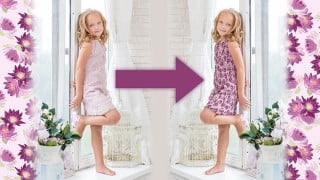

Discover Pixlr X, the powerful online photo editor that enhances your images with filters and pre-configured shapes. This course is perfect for social media users, bloggers, graphic designers, and influencers looking to learn step-by-step techniques for their own photos.
What you’ll learn
- Create patterns: Learn how to make simple patterns in Photoshop
- Use online mockup generators: Discover the top 5 online mockup generators and learn how to use them
- Find free mockups: Discover the top 5 websites for free Photoshop mockup files, learn how to open them and how to add in your own patterns
- Locate free photographs: Discover the top 5 free stock photography websites
- Isolate and select objects: Learn how to use smart objects as well as how to select and isolate objects from their backgrounds
- Use filters: Make an applied pattern look realistic by using displacement maps, the liquify filter and warp transformations
- Add highlights and shadows: Create shadows, highlights and textures to make an applied patterns fit in with the rest of the photo
- Build mockup templates: Complete your Photoshop file so you can add any pattern you like to your objects
Do you want to learn how to find free mockups or create your own high-quality mockups to show off your beautiful repeating pattern designs? This class will guide you through how to use free online mockup generators, finding the best free mockup files for Photoshop, navigating pre-made mockup files, finding stock photography images that can be used to create your own mockups, and building your own high-quality mockup templates in Adobe Photoshop. By the end of this course, you will have a robust library of mockup images and templates and an in-depth understanding of the steps required to create your own mockups from stock photography.
This class will guide you through:
Creating patterns
How to make simple patterns in Photoshop
Online mockup generators
Top 5 online mockup generators and how to use them
Free Mockups:
Top 5 websites for free Photoshop mockup files
How to open up these Photoshop files and add in your own patterns
Building mockup templates:
Top 5 best free stock photography websites
Choosing the best photos
Isolating the object that the pattern will be applied to
Using smart objects
Making an applied pattern look realistic by using displacement maps, the liquify filter and warp transformations
Adding shadows and highlights
Incorporating texture to make the final result look realistic
This class is aimed at intermediate-level students with some working knowledge of Photoshop as well as advanced students with a deeper understanding who wish to create their own mockups to show off their patterns.
This class has been created for illustrators who wish to build their own high-quality mockups, hobbyists who want to learn how to use free resources to create mocked-up images of their illustrations or patterns, and even side hustlers looking to learn how to make digital assets that they can sell.
By the end of this class, you will be able to apply your knowledge and skills to create a variety of mockups that you can sell on websites specializing in digital assets or to level-up your illustrations and patterns by adding them to mockup files and posting the completed images on Instagram or Pinterest. Mockups can even be used to advertize patterns that you wish to sell on print-on-demand websites.
To complete this class, you will need a computer, access to the internet, and Adobe Photoshop. You can always download a free trial of this program from Adobe.
Your class project is to create your own mockup from stock photography and add to it a pattern of your choice. Alternatively, you can use an online mockup generator or free mockup file to show off your beautiful patterns or illustrations.
At the end of this class, you will have 15 mockup files that you can use to display your repeat patterns. You will have five made from online mockup generators, five using free Photoshop mockup files, and five created from free stock photography.
Who this course is for:
- This class is aimed at intermediate-level students with some working knowledge of Photoshop as well as advanced students with a deeper understanding who wish to create their own mockups to show off their patterns.
- This class has been created for illustrators who wish to build their own high-quality mockups, hobbyists who want to learn how to use free resources to create mocked-up images of their illustrations or patterns, and even side hustlers looking to learn how to make digital assets that they can sell.
User Reviews
Be the first to review “Show Off Your Patterns: Find Free Mockups & Build Your Own”
You must be logged in to post a review.




There are no reviews yet.