
Siemens NX Fibersim (EN)
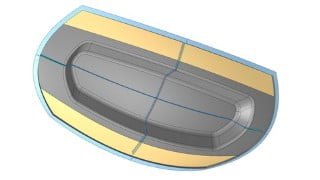

Learn the basics of Siemens NX Fibersim with this comprehensive course. From CAD model preparation to generating engineering documentation, you’ll gain the skills needed to excel as a composite designer or design engineer. Suitable for Siemens NX designers, this training will equip you with the knowledge to create rosettes, laminates, plies, and more. Get started today and unlock the full potential of Fibersim in Siemens NX.
What you’ll learn
- Getting started with Fibersim in Siemens NX
- Getting familiar with the Siemens NX Fibersim workflow and procedure
- Definition of laminate, plies, rosettes, cores and much more
- Generation of engineering documentation (drawing and plybook)
The Siemens NX Fibersim course is structured to show you the basics of ply-based methods of Siemens NX Fibersim Pro. This course will show and teach you the initial steps and procedures in Siemens NX Fibersim.
The Siemens NX Fibersim course takes learners through:
Prepare a CAD model for Fibersim work
Create rosettes, laminates and plies
Create splice and dart groups
Create cores
Generate flat patterns, 2D and 3D documentation
Export flat patterns and laser projections
The Getting Started course takes the learner through:
Getting Started with Siemens NX Fibersim
Manual Ply Creation
Generation of Engineering Documentation (Drawing and Plybook)
Requisites for the training:
Having installed a CAD software. We provide files created with Siemens NX 2206
Having installed Fibersim. The videos will show Fibersim 17.2
The wa-training team wish success and a fun training course!
Content of the course:
Pre-requisites
Installation guide from Siemens
User guide PDF from Siemens
Fibersim licenses
Material database
Columns for the database
User interface
Help – About
Windows
Left with basic / advanced / documentation
Add columns
Groups
Filtering
Ply vs Zones
Laminate
Laminate surface
Extended and net
Material
Rosette
New rosette
Define size
Ply
Define new ply
Define ply with different contour
Define ply with different origin
Define ply with different material
Generate symmetric lay-up
Shortcuts to change name and step
Simulate a lay-up
Insert extended producibility exceeded
Colors of the simulated plies (by orientation)
Ply advance
Generate multiple plies
Splicing
Drop off
Bulk edit with filters
Dart
Dart
V-Dart
Darts with points (Point – Ok, Point – Ok, OK)
Core
Modeled core
Virtual core
Design station
New design station
Section
Schematic
Drapped
Overcore hybrid
Solid
Generate solid based on laminate
Generate solid with NX
Lay-up information in 2D
3D section inside a view
Tooling line
Design stations in the 2D (leader associated to tooling line)
Table with the information of the plies
Ply book
Generate flat patterns in the 3D
Part views
Name of the views not associated to the views
Empty drawing view for the flat pattern
Text not inside tables in the drawing header
How to generate a ply-book
Layer configuration
Export flat pattern
As .DXF
As laser projection
Who this course is for:
- Composite designer
- Design engineer
- Siemens NX designer
User Reviews
Be the first to review “Siemens NX Fibersim (EN)”
You must be logged in to post a review.




There are no reviews yet.