
Subassembly Composer for Autodesk Civil 3d
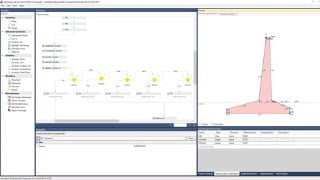

Learn how to design in Civil 3D using advanced subassemblies with this comprehensive course. Improve your skills in creating custom subassemblies and taking out quantities and data. Perfect for Autodesk Civil 3D users, road design engineers, and transportation engineers.
What you’ll learn
- Subassembly composer, its tools, Formulas and Functions from basics to advanced level
- All the Techniques used to create subassembly
- Improve skill of designing in Civil 3d using advanced subassemblies
- How to take out quantities, and data using advance subassemblies
Subassembly Composer which is an additional software with Autodesk Civil 3d, used to make custom subassemblies. Civil 3d also include a lot of subassemblies located in the tools pallet window of civil 3d but those are usually Complex and insufficient for different detailed projects and structures.
This Course include detailed lectures covering all the aspects of the software. It includes its basic information like installation, opening of software, layout of software and different ways to draw points, to detailed discussion with examples and practices of all the tools in the toolbox of subassembly composer, Formulas and Functions available for making a subassembly. Decisions and switches are discussed in detail with examples. How to use the surface targets, elevation targets and offset targets using poly lines, profiles and structures are also discussed in this lecture.
This course also teaches how to import a subassembly in Civil 3d, how to take out excavation quantities using link codes, how to take out alignments and elevations of structures using point codes and how to take out material quantities using shape codes. At the end complex detailed subassemblies of different shapes of retaining walls and tunnels are prepared in the subassembly composer and then used in Civil 3d.
Who this course is for:
- Autodesk Civil 3d users.
- Road Design Engineers.
- Design Engineers
- Transportation Engineers
User Reviews
Be the first to review “Subassembly Composer for Autodesk Civil 3d”
You must be logged in to post a review.





There are no reviews yet.