
Unity 2D Game Development
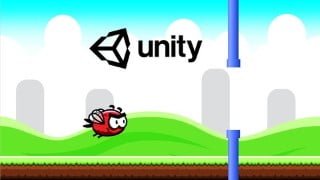

Learn the best practices for infinite game development and create your own 2D game with Unity. No prior programming experience needed. Build a solid foundation in game design and coding skills.
What you’ll learn
- We will cover best practices for infinite or endless games which will teach you what you need to know in order to create a prototype and develop a 2D game.
- Develop highly transferable coding problem-solving skills.
- Learn C#, a powerful modern language, from scratch. No prior programming experience is necessary.
- Build a solid foundation for game design and game development that will help you build your own games.
Unity is a cross-platform game engine developed by Unity Technologies. This course has been designed such that we can share our knowledge and help you learn complex theories, techniques, and concepts in a simple way. It is a perfect match for all those self-taught students out there!
In this beginner-friendly designed course, we will look at creating a simple 2D Flappy Bird game in Unity editor also we will cover best practices for infinite or endless games which will teach you what you need to know in order to create a prototype and develop a 2D game.
This course has been designed to be easily understandable to everyone, so whether you’re a complete beginner, an artist looking to expand their game development range, or a programmer interested in understanding game design, this course will help you gain a greater understanding of development. The course is project-based as we believe this is the best way to learn Unity and C#.
2D Game Development in Unity
Understanding the Scene and Game Interface
Organizing Your Project
GameObjects and Transforms
Tags
Layers
Camera
Colliders
Controlling
Canvas Positioning (Anchors etc)
Text Components
Buttons Sliders
Menu Screens
Animation
Creating a Player Animation using Sprites
Scripting
Player Control Scripting
Menu Control Scripting
Instantiating Gameobjects through Script
Collision Detection
Save / Load System (Check Asset Store for Example)
Extra Script
Play Button
Retry Button
Quit Button
Configuring for Export
Building Project Settings
Mobile / Other Exports
Who this course is for:
- Beginners that are curious about Game Development
- Competent and confident with using a computer.
- Complete beginners with an interest in learning game development.
- Anyone who wants to make their own 2D game.
- People interested in working in the game design industry.
- People who want to create and publish their own games.
User Reviews
Be the first to review “Unity 2D Game Development”
You must be logged in to post a review.





There are no reviews yet.