
Free 3D Sculpting Tutorial – Sculpting for Game Environments in Zbrush and UE5
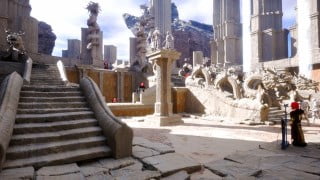

Learn how to use Pixologic Zbrush to enhance your game assets in Unreal Engine 5. Master sculpting techniques and add incredible detail to your 3D creations. This course is a must for aspiring game industry professionals and beginner 3D artists looking to integrate Zbrush into their Unreal Engine 5 pipeline. Gain the skills to create stunning environmental effects and bring your 3D assets to life. Export assets from Unreal Engine, utilize common sculpting techniques, and master UV mapping and modeling tools. Unlock the power of Zbrush and create visually impressive games.
In this course you will learn how to use Pixologic Zbrush to increase detail into your game assets used in Unreal Engine 5.
Zbrush is the industry leading sculpting tool for 3D computer graphics. By learning it you will have the power to add incredibly amount of sculpted detail to any 3D asset you are creating. It is also the secret behind the best looking games. Whenever you see a great looking project, most likely it used Zbrush to produce it.
If you want to land a job in the game industry or you want to create an environment for your game then this course is a must for you to be able to add the level of detail you are looking for in your game project.
You will also learn the most common but useful sculpting techniques such as the Trim brushes, using Alphas and much more.
By the end of this course you will be confident using Zbrush to create environmental effects for 3D assets and bring them to life in Unreal Engine 5.
You will learn:
How to export your Unreal Engine assets into Zbrush
Most common sculpting techniques to detail game environments such as rocks, walls or concrete
Import Zbrush 3D assets into Unreal Engine 5
UV Mapping and modeling tools inside Unreal Engine 5
Who this course is for:
- Beginner 3D Artists who want to integrate Zbrush into their Unreal Engine 5 pipeline
User Reviews
Be the first to review “Free 3D Sculpting Tutorial – Sculpting for Game Environments in Zbrush and UE5”
You must be logged in to post a review.





There are no reviews yet.