
Soft portraits with Procreate
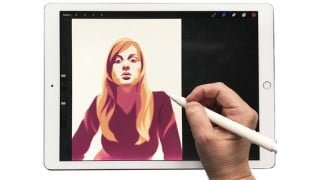

Learn how to create soft portraits with Procreate in this beginner-friendly course. Discover techniques to smudge edges, simplify shapes, find values, and choose the perfect color palette. Enhance your digital painting skills and explore the new features in Procreate 5 for unique effects. Perfect for beginners in digital painting.
What you’ll learn
- How to make soft portraits with Procreate
- Learn about values
- Learn how to soften the portrait
In this class, I will teach you how to make a soft portrait with Procreate.
What is a soft portrait? It’s a portrait made with flat shapes, where we will smudge the edges to get a soft look.
This is a follow up to my class ‘Flat illustrations 5 styles’ where I was focusing on full body characters. Here we will focus on portraits, but it can be used fo any subject.
I have gathered for you more than 100 copyright free reference photos here, where you can pick one, or follow along with the one I use in class, or use a personal photo.
I’ll show you how to simplify and trace the shapes over the photo
Then we will find the values and fill the shapes
Then we will discuss color palette, with different ways to find the colors you want
We will then work on the line art to integrate it with the shapes
Finally we will smudge the edges, paying attention to lost and find lines
At the end you can play with the new features in Procreate 5 to have different effects
Who this course is for:
- Beginner digital painters
User Reviews
Be the first to review “Soft portraits with Procreate”
You must be logged in to post a review.





There are no reviews yet.