
Beginner to Wow – Affinity Photo Version 2
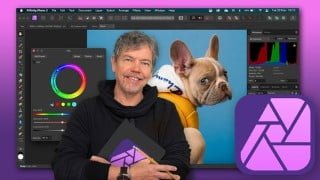

Learn how to enhance your images using Affinity Photo in this comprehensive course. From exposure and color balance to retouching and creating collages, you’ll gain a solid understanding of editing tools. Perfect for beginners or those looking to update their skills, this course covers non-destructive editing techniques and provides step-by-step projects. Whether you’re a photographer or designer, you’ll be able to create eye-catching images and work in a non-destructive way. No prior editing experience required, just a copy of Affinity Photo. Start improving your photos today!
What you’ll learn
- How to make your images look their best using Exposure, Color Balance and other tone & color controls
- How to retouch images to enhance them such improving skin, and cleaning up tears, dirt and imperfections in photos.
- Create multi-image collages using cut-outs including how to cut out hair / fur.
- Understand non-destructive editing techniques using layers and masks
- Gain an excellent understanding of all the main editing tools
Learn to Edit and Retouch Your Images and Make them come to Life in This Comprehensive Affinity Photo V2 Course.
Hi – I’m Tim and I’m a designer and photographer as well as a software trainer who’s been working in the industry for over 20 years. Companies I’ve trained include, BBC, Disney, The Times Newspaper, NHS, Deutschebank as well as numerous others. I’ve also spent many years as a lecturer to honors degree students in photography and graphic design.
This course is an introduction to Affinity Photo with tutorials and step-by-step projects, starting right from the beginning for complete beginners. You do not have to have any photo editing experience at all.
Together we will look at a specific set of tools and techniques. Then I will give you some projects to complete to reinforce your knowledge.
All the content can be adapted for both print or web.
You will learn the basics of Affinity Photo and solidify your knowledge by creating multi-image compositions, retouching old and new images, color-correcting images, working with non-destructive adjustment layers as well as selections.
This course is for anyone new to Affinity Photo, whether you have used any other editing software like Photoshop or not. All you need is a copy of Affinity Photo on computer / laptop.
During the videos there will also be key phrases that appear to help you remember tools, shortcuts and techniques.
At the end of this course you will have good understanding of the basics of Affinity Photo and will be able to create simple yet eye-catching and exciting images, retouch and recolor photos and work in a non-destructive way.
All the exercise files come from the Royalty Free websites Unsplash and Pixabay.
Music by Bensound.
Who this course is for:
- Anyone new to Affinity Photo or those with skills wanting up to update them, learn new tips and new features of the latest update.
- Anyone using Photoshop or other photo editing software who wants to translate their skills into Affinity Photo
User Reviews
Be the first to review “Beginner to Wow – Affinity Photo Version 2”
You must be logged in to post a review.



There are no reviews yet.