
Brochure Design with Photoshop, Illustrator and InDesign

What you’ll learn
- Creating professional brochures for all kinds of clients/businesses
- The complete brochure design workflow using the three main Adobe design applications (Photoshop, Illustrator, InDesign)
- Important Print Design terms you need to know
- Editing and masking photos with Adobe Photoshop
- Creating vector elements in Adobe Illustrator
- Putting everything together in Adobe InDesign
- Using Styles in Adobe InDesign to effectively format the copy
Would you like to get confident at designing brochures? Learn about the process, theory, techniques and test your skills by working on the class project!
Join Martin Perhiniak (Graphic Designer and Adobe Certified Instructor) and learn his workflow and best practices he developed over 20 years working as a creative professional for clients like BBC, Mattel, IKEA, Google, Pixar, Adobe.
In this class you’ll learn:
Creating professional brochures for all kinds of clients/businesses
The complete brochure design workflow using the three main Adobe design applications (Photoshop, Illustrator, InDesign)
Important Print Design terms you need to know
Editing and masking photos with Adobe Photoshop
Creating vector elements in Adobe Illustrator
Putting everything together in Adobe InDesign
Using Styles in Adobe InDesign to effectively format the copy
You’ll be creating:
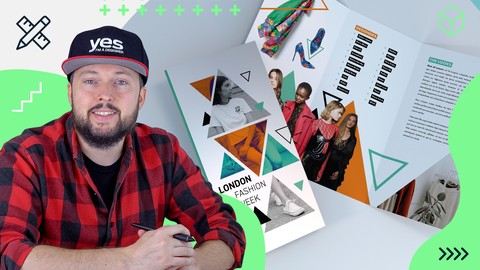
A professional brochure using all three of the main Adobe design applications (Adobe Photoshop, Illustrator and InDesign)
Who this class is for?
Anyone planning to become a graphic designer
Creatives aiming to improve their technical skills and understanding of design theory
Anyone specialising in Editorial Design
You don’t need to be a creative professional to take the class
What you will need?
Adobe Creative Cloud
Desire to make something awesome
Even if you’re new to designing brochures or using Adobe applications, you’ll find the simple and effective techniques discussed in this course easy to use and apply to your work!
Who this course is for:
- Anyone planning to become a graphic designer
- Creatives aiming to improve their technical skills and understanding of design theory
- Anyone specialising in Editorial Design
- You don’t need to be a creative professional to take the class
User Reviews
Be the first to review “Brochure Design with Photoshop, Illustrator and InDesign”
You must be logged in to post a review.



There are no reviews yet.