
Brother ScanNCut – Complete Beginner’s Guide
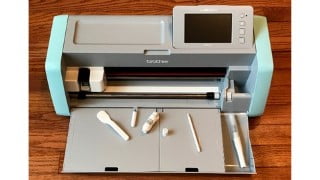

Learn how to use your Brother ScanNCut SDX125 with confidence! This complete beginner’s guide covers everything from basic settings to using Canvas Workspace software. Practice hands-on exercises and share your work with other students. Perfect for new ScanNCut users or those who want to take their crafting skills to the next level. Compatible with any model of Brother ScanNCut. Don’t let your machine sit in the box – start creating beautiful projects today!
What you’ll learn
- You will be able to use your Brother ScanNCut SDX125 right out of the box.
- You will become familiar with settings on your ScanNCut SDX125.
- You will be able to use the built-in patterns to create shapes and layers for cards and embellishments.
- You will be able to scan and cut stamped images and patterned paper.
- You will be able to transfer and cut project files from Brother Canvas Workspace.
Do you have a Brother ScanNCut that you never use? Perhaps you tried and didn’t know where to begin. Would you like to be able to scan, cut, draw and design your projects with confidence? Then, the Brother ScanNCut – Complete Beginner’s Guide is the course for you. You will learn the necessary skills to get started from the basic settings to using Canvas Workspace software. You will practice what you learn through hands-on exercises.
This course is hands-on with many practical examples and projects. This course is based on the SDX125E Model. However, you can apply your skills to ANY model of Brother ScanNCut. The Canvas Workspace software is compatible with any wireless model. Use materials from your craft stash to cut the sample projects. Watch detailed tutorials and then practice and share what you learn. The course never expires so there will be chances to review the material again as you want to try the skills you learn. I encourage you to complete each of the assignments and to share your work with other students in the course. I look forward to embarking on this crafty adventure with you.
This course includes the following topics:
Course Introduction
ScanNCut SDX125 Settings & Editing Features
Canvas Workspace for Web
Canvas Workspace for PC
Scanning & Cutting Overview
Working with SVGs
Course Conclusion
Who this course is for:
- New Brother ScanNCut Users.
- Crafters who own a SDX125 a ScanNCut and never took it out of the box.
- Crafters who are interested in learning how the Brother ScanNCut SDX125 can take their crafting skills to a new level.
- Brother ScanNCut SDX125 owners who want to make the most out of their machine.
User Reviews
Be the first to review “Brother ScanNCut – Complete Beginner’s Guide”
You must be logged in to post a review.





There are no reviews yet.