
Canon R5/R6 Crash Course Training Tutorial
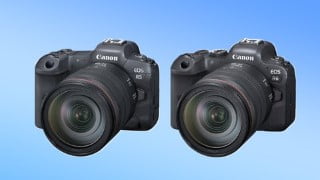

Learn how to operate your Canon R5 or R6 camera with this comprehensive course by award-winning instructor Michael Andrew. Suitable for photographers of all levels, including beginners, this tutorial covers everything from the basics of digital photography to advanced shooting techniques. With over 7 hours of streaming content, you’ll gain a deep understanding of exposure, composition, lighting, lens selection, and more. Whether you want to improve your skills or simply understand how your camera works, this tutorial is a must-have for Canon R5/R6 owners.
What you’ll learn
- How To Operate Your Canon R5/R6
In this course, award winning instructor, camera tester & professional wedding photographer Michael Andrew takes us on a step-by-step tour of the amazing Canon R5 & R6 cameras! This course is designed to take any photographer of any level, including pure beginners and get them up to speed as quickly as possible, and then push forward to high-level, advanced techniques. (And this particular course is absolutely loaded)
When Michael started in 2003, before the youtube age, he learned by trial and error. It took him 2 years to fully master his camera. In 2008, after many years of shooting weddings, Michael was convinced he could develop a teaching system to help new students learn their cameras over a weekend. He’s been teaching new photographers ever since! Michael’s unique approach focuses on simplicity, clarity, and synthesis, which has helped thousands of beginning students learn their cameras in just a few hours.
If you own a Canon R5 or R6 and are looking to improve your photographic skills or aren’t exactly sure how everything works….this is the tutorial for you!
Over 7 hours of New Streaming Content and adding!
Included Lessons:
The Basics of Digital Photography Crash Course, including:
Exposure Lesson
Shutter Speed Lessons
Aperture Lessons
Depth of Field Lessons
ISO
Complete Composition Lessons- 11 in all
Digital Greenhouse
Compression
Encryption
Histograms
Lens Crash Course
What to do if not enough light
Lighting Crash Course.
Portrait Crash course
Sensor Cleaning
Basic Controls & Operation of the Camera
Advanced Shooting Techniques, including:
Wildlife Video Shooting
HDR Tools
AEB – Exposure Bracketing
Portrait Crash Course, Lighting, Lenses, Lens Selection, Demonstrations
Focus Stacking
Multiple Exposure Mode
Sports Shooting with the Canon R5 / R6 – Settings, Clusters
Canon R5/R6 Sunset Shooting Techniques, Stills and Video, Filters,
Time lapse & Intervalometer Shooting
Focus Trouble Shooting
Introduction to Flash & Strobes
Flash Settings
3 Rules of Lighting
Film History, & Terms
Film Like Look
Pro Audio Tips
Pro Lighting Recommendations
Pulling Focus Using the Touch Screen
Manual Foucs In Empty Spots
Gimbals, Slow Motion and Examples
Fluid Heads
Shooting for Documentaries
Removing Background Noise
Sliders
Video Workflow
Storytelling / Commercial Hollywood Scene Example, Final Examples
Customizations & Deep Menu Systems
Michael will continue to add new lessons as students new questions arise!
Who this course is for:
- Anyone wanting to know how to operate their Canon R5 or Canon R6 camera
User Reviews
Be the first to review “Canon R5/R6 Crash Course Training Tutorial”
You must be logged in to post a review.




There are no reviews yet.