
Canvas Workspace – Creating Boxes & Envelopes
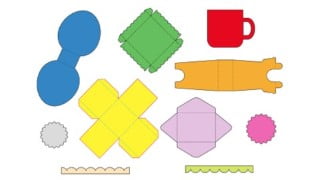

Learn how to customize Canvas Workspace projects, design and cut boxes and envelopes, and use the Template Maker application in this hands-on course. Perfect for Brother ScanNCut owners and paper crafters looking to create beautiful packaging for their cards and gifts. Enhance your crafting skills and explore the possibilities with Canvas Workspace software. Interact with other students, ask questions, and share your experiences. Start your crafty adventure today!
What you’ll learn
- You will be able to customize Canvas Workspace Projects.
- You will be able to design boxes & envelopes using Canvas Workspace.
- You will learn how to use Canvas Workspace tools and work with layers.
- You will be able to design boxes using the Template Maker application.
Would you like to design and customize boxes and envelopes? Do you want to delve deeper into the Canvas Workspace software? Would you like to take your crafting skills to a whole new level? In this Canvas Workspace – Creating Boxes & Envelopes Course, you will learn how to customize the Canvas Workspace project files, how to design and cut boxes and envelopes and how to customize files using the Template Maker application. The skills you learn can be applied to your specific projects and will spark your imagination as to the possibilities for beautiful packaging.
This course is hands-on with many practical examples and projects. This course is mostly software based. You can apply your skills to ANY model of Brother ScanNCut. Use materials from your craft stash to cut and embellish the boxes and envelopes you create. You will watch detailed tutorials and then practice and share what you learn. The course never expires so there will be chances to review the material again as you want to try the skills you learn. I encourage you to share your work with other students in the course. Feel free to interact with the course content, to ask questions and to share your experiences with designing and cutting files on your ScanNCut. I look forward to embarking on this crafty adventure with you.
This course includes the following topics:
Course Introduction
Canvas Workspace Introduction
Covering Boxes
Creating Envelopes
Canvas Workspace Projects
Design a Box using the Artboard
Creating SVGs with Template Maker
Design a Box with Shapes
Design a Lid with a Border
Who this course is for:
- Brother ScanNCut Owners
- Paper Crafters who love to create 3D items.
- Crafters who want to create pretty packaging for cards and gifts.
- Crafters who are interested in learning features and capabilities of the Canvas Workspace software.
User Reviews
Be the first to review “Canvas Workspace – Creating Boxes & Envelopes”
You must be logged in to post a review.





There are no reviews yet.