
Clip Studio Paint – Essential Training Course
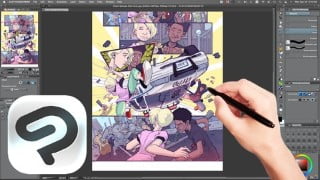

Learn the basic commands and concepts of Autodesk Inventor with this comprehensive course. Perfect for beginners in mechanical design, it covers important commands and provides real-time examples. Download the course for an effective and economic learning experience. Ideal for aspiring design engineers in the field of mechanical engineering.
What you’ll learn
- Basic Functions of Clip Studio Paint
- Workflow in Clip Studio Paint
- Inderstand 3D materials and usage in Clip Studio Paint
- Animation in Clip Studio Paint
- Create Comics in Clip Studio Paint
- Create brushes in Clip Studio Paint
- Understand Layers and their various properties and adjustments
- How to edit and prepare scanned line art for digital use.
If you’re interested in creating comic books or stunning illustrations, then Clip Studio Paint is the software for you. As the industry leader, it offers a range of advanced tools that are unparalleled by other programs.
In this course, you’ll be guided by instructor Ed Foychuk, who has mastered the program through years of experience using it in Asia. Ed will teach you all the tricks you need to know to bring the amazing comics in your head to life.
The course covers a wide range of topics, including:
Comparing Pro vs Ex
Setting up a new document
Understanding your workspace and hotkeys
Basic and advanced tools, including brushes, rulers, and manga tools
Working with layers, including mode modifiers, raster vs vector, masking, and tips
Converting scanned line art
Using filters and actions
Setting up and creating story pages, including panel hacks and text
Working with webtoons
Using 3D and 2D animation
Exporting and saving your work
Updating the program
Ed’s clear and concise teaching style makes it easy to follow along, even if you’re not familiar with Japanese. With over 6.5 hours of content, you can take the course at your own pace and complete assignments to practice your skills.
As an added bonus, you’ll have lifetime access to the course materials and the opportunity to contact Ed personally for support. Plus, the Udemy platform provides fast and friendly support through the Q&A section or direct messaging.
Don’t miss out on all that Clip Studio Paint has to offer. Sign up for the course now and start creating amazing art. With a 30-day money-back guarantee, you have nothing to lose!
Who this course is for:
- Beginner to Intermediate in Clip Studio Paint users
- Anyone who wants to create comic books
- Digital art enthusiasts
- Comic book artists
- Anyone interested in learning how to use the leading software for creating comic books and illustrations
User Reviews
Be the first to review “Clip Studio Paint – Essential Training Course”
You must be logged in to post a review.





There are no reviews yet.