
Complete beginners guide for Blender 3.2 – Creating a Cog
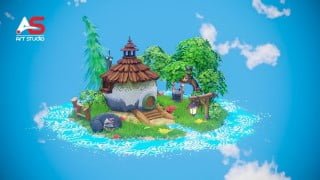

Learn Blender 3.2 from beginner to advanced with this comprehensive course. Master modeling, texturing, lighting, and camera movement in 3D art. Perfect for artists, game developers, and beginners.
What you’ll learn
- The most fundamental concepts of 3D art and Blender.
- Modeling
- UV Unwrapping & Texturing
- How to create HDRI for lighting our scene
- PBR Texture painting
- How to use particle system
- Create procedural textures for water, wood, concrete, sky and more using blender nodes
- Create a Real time Camera Movement
Hey this is Morteza from art studio. You might be one of those who are searching for a course that includes most of the blender important topics. That is why we have created complete beginners to advanced guide to blender 3.2.
We will take you through the Modeling. UV unwrapping, texturing, PBR texture painting, lighting, real smooth camera movement and much more.
This course is divided to 15 chapters. And in each chapter, you will learn blender step by step.
in the first, we start very basic, taking you through the fundamentals of blender and we prepare you for the next chapter which is Modeling. At the end of this part, you learn how to model an interesting 3d stylized hobbit cog and trees. during this section you will learn all the tools and techniques that is necessary for creating easy and complex models.
After that we jump into the UV Unwrapping. Here we talk about different way of UV Unwrapping & we try solve the problems and difficulties that happens during this process.
After that We create HDRI. Later we use free easy-HDRI add-on and we use blender lights for adding more interest at the end. special when we create sky texture.
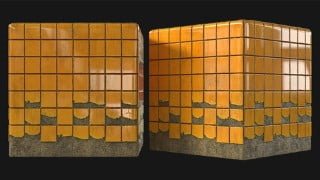
Next section is the Texturing. here we texture the entire scene by using some free textures that is included in project file.
After that we jump to the texture painting. In this section you learn how to mix 2 or more texture or PBR texture and paint them on a surface. Later you will learn more about that when we paint on the water surface and we erase some of its parts.
, we will use particle system for spreading the plants on surfaces and for creating smoke or dust particles.
Not only these
You will learn:
How to create Rocks & add logo on them
How to Create procedural textures for water, wood, concrete, sky and more using blender nodes.
Finally, we Create a Real smooth Camera Movement and we walk through our scene in real time using Evee.
As a part of this course, you get access to all of these amazing resources.
Who this course is for:
- Anyone who wants to learn computer graphics and 3D artwork – no experience needed!
- Artists and game developers who want to learn Blender
- Anyone who has started working with Blender, but want to advance their character creation and 3d environments modeling skills
User Reviews
Be the first to review “Complete beginners guide for Blender 3.2 – Creating a Cog”
You must be logged in to post a review.



There are no reviews yet.