
Complete Course on Preprocessing using ANSA
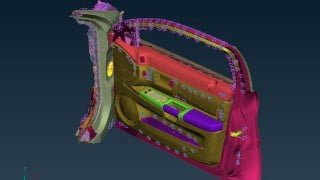

Learn the theory of FEA, meshing techniques, and assembly connections in this comprehensive course. Get insights into ANSA software and become an expert in CAD/Geometry modification. Contact for maximum discount. Ideal for mechanical, automobile, and aeronautical engineering students and professionals looking to pursue a career in FEA/CAE. Enroll now!
What you’ll learn
- Theory of FEA
- Theory of FEA
- 1D Meshing – Rod ,Bar , Rigids, RBE3
- 2D Meshing and industry guidelines
- 3D Meshing – Tetra meshing algorithms and hexa meshing
- Quality checks and Quality Parameters
- Assembly Connections – Spot welds , Seam welds , Bolted Connection, Adhesives
******************* Joining Offer ****************************
In order to get maximum discount at the time of joining, contact me on
Whatsapp – +919890660581
Email – orvilleacademy18@gmail.com
******************* Course Structure ***************************
The course will take you on exciting journey from beginner to expert in meshing using ANSA ,
Main theme of course is to get insights into Creating and modifying CAD/Geometry , Meshing and Connections.
We will start with Theory of FEA , where you will get familiar with critical ways in which you can find solution to given problem and the logic behind most of the CAE software’s .
Then we will proceed toward meshing where we will learn about 1d, 2d, 3d meshing & guidelines that one has to follow while meshing.
In meshing section we will do hands on exercises of many components and try to implement guidelines that we have studied. We will talk about quality checks and quality parameter in much detail along with the mathematical formulation of quality parameters.
Then we will move towards building assembly of various components using connections. In connection we will explore various capabilities of ANSA while doing connections and explore for the possibilities of importing connections from existing file to new one.
At the end of to each section we will take small project to implement overall summary of the section.
Last section will be placed for your doubts. I will update this session with answers to all of your doubt
Below is the brief outline of the course and various modules involved in the course.
Theory of FEA/CAE
Objective of this module is to get you familiar with FEA/CAE.
Understanding problem solving techniques.
How FEA works.
Introduction to ANSA
Graphical User Interface
View Manipulation
Import and Export
Visualization options
Entity selection option
Visibility Option
Focus Group
Measure
Topology
Playing with CAD
Tolerance Settings
Geometry Cleanup
4 Examples on geometry cleanup
Creating Points
Points on COG
Curve Creation
Surface Creation : Plane
Property (PID) Creation Options
Introduction to 2D Meshing
Overview
Midsurface using Offset
Midsurface using Skin – Part 1
Element Shape/Type
Length Function
Introduction to Quality Criteria
Meshing Algorithms
Meshing Guidelines : Washer, fillet and tria elements
Cut, Join & Release
Paste
Split
Element Quality
Overview
Aspect Ratio
Warpage
Skewness
Jacobian Min/Max Angle/Length
Tetra Collapse
Volumetric Skew
Surface/2D Meshing Examples
2 Examples on 2D Meshing
Introduction to 3D Meshing
Overview
3D Element Shape
Defining Volumes
Unstructured Meshing Algorithms
Tetra FEM
Tetra FEM and Hexa Interior
Example – Crankshaft
Translate
Sweep
Offset
Revolute
Map
Extrude
3D/Volume Meshing Examples
Example : Structured Meshing
Example : Tetra Meshing
Introduction to Connections
Overview
Spot Welds
Gumdrop Connection
Automatic Bolt Connections
Manual Bolt Connection
Robscan
Rivet
Adhesives
Miscellaneous
Transform Functions : Translate
Transform Functions : Symmetry & Rotate
Transform Functions : Transform & Scale
If you have any doubt fell free to contact me.
So Enroll now and start this exciting journey with me.
******************* Course Updates ***************************
1. Added new video on types of analysis
2. Added new video on type dynamic analysis
3.Added new video titled “Implicit vs Explicit”.
Who this course is for:
- Mechanical, Automobile , Aeronautical engineering students and professionals
- Beginners who wants to do careers in FEA/CAE and become CAE Analyst
User Reviews
Be the first to review “Complete Course on Preprocessing using ANSA”
You must be logged in to post a review.





There are no reviews yet.