
Complete Guide to Tracking in After Effects CC
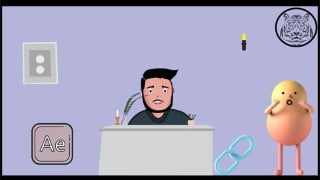

Learn the basics of After Effects, motion tracking, camera tracking, and adding 3D characters to scenes. This course is perfect for After Effects enthusiasts, VFX lovers, and those new to VFX. Enhance your skills in compositing, color grading, and keying out green screens. Join now and start learning!
What you’ll learn
- Motion Tracking
- Camera Tracking
- Adding 3d Characters to the Scene
- Color Grading
- Interface of After Effects
- Basics of Blender
- Mixamo
- Compositing
- Keying out Green Screen
- Setting up Scene in Blender
This course is based on Adobe After Effects CC. We will be Learning completely what we can do using the Tracker tab of After Effects. We will be doing;
Motion Tracking
Camera Tracking
For the Motion Tracking, We will first learn how we will be progressing in the class and How everything is done and then, we will learn about Interface. Then, We will do Motion Tracking and will add the Asset After that.
For Camera Tracking, We will first make 3D animated character, then setup scene in Blender and then Camera Tracking in After Effects. Then, we will import the Character we made in mixamo and then converted to a viable format using Blender. Then, After Keying out Green Screen Perfectly, We will have our asset in Scene. Then, basic color grading and compositing will help us in making the render realistic.
The whole Skillset you will achieve in this Course is;
Basics of After Effects
Motion Tracking
Camera Tracking
Use of Mixamo to create 3d Animated Character
Setting up scene in Blender
Keying out Green Screen
Compositing Assets
Color Grading
I hope this is enough explanation for you guys to get excited about this course. So, Let’s just start the course right now and remember , I will always be available to help you guys regarding the course. You can always drop a message, I will be happy to help.
Good Luck!
Happy Learning!
Who this course is for:
- After Effects Enthusiasts
- After Effects Users
- Vfx Lovers
- New to VFX
- Want to Learn Adding External assets to Scenes in After Effects
- Want to Learn Tracking
User Reviews
Be the first to review “Complete Guide to Tracking in After Effects CC”
You must be logged in to post a review.



There are no reviews yet.