
Create digital Products in Affinity Designer

Learn the fundamentals of analog VLSI layout using MAGIC and Sky130 PDKs in this webinar. Discover how to design a 10-bit potentiometric DAC and generate GDS files. Suitable for beginners and professionals in physical design engineering.
What you’ll learn
- You’ll learn how to create digital Products for Sale
- You’ll learn the difference between Raster and Vector Images
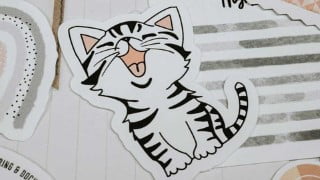
- You’ll learn how to trace your hand-drawn Images
- You’ll learn more about Affinity Designer
In this class you’ll learn how to create digital Products in Affinity Designer.
It consists of four Workshops where you learn more about Affinity Designer on the one hand but also about design and product creation on the other.
You’ll learn
how to trace hand-drawn images and create vectors from them
how to use modified brushes in Affinity Designer
how to use text and the grid
how to change the direction of the nodes
how to modify nodes
how to modify colors
how to add different shapes on different layers – even if they are not closed
how to save your file in the right format
how to export images
At the end of this class you are able to create a vector from a hand-drawn image, a rainbow withe watercolor brushes, a Project Life Card and a Heart in Pieces. All this is really valuable if you want to sell digital products. With your new knowledge you can then create sticker sheets or images for Print on Demand sites and export them in different ways.
I’ll also show you how to e.g. create a Project Life Card and create different sizes from the same design. This is very helpful if you have to take care of the different requirements of the Print on Demand sites.
All the material you need is included in the class. Once you’ve mastered the workshops you can create your own digital products and offer them for sale on Etsy, CreativeMarket and more.
Who this course is for:
- Perfect for Beginners and Intermediate Users
User Reviews
Be the first to review “Create digital Products in Affinity Designer”
You must be logged in to post a review.




There are no reviews yet.