
Creo Parametric | Drafting module | Complete
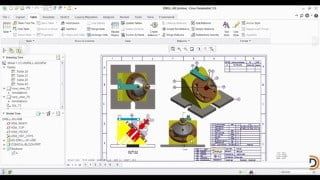

Learn the secrets of expert designers with this comprehensive Creo Parametric course. Master 3D modeling and drafting techniques, including sketching, part modeling, assembly creation, and engineering drawings. Gain proficiency in software handling and boost your skills with industry-based projects. Perfect for mechanical engineers, students, and professionals looking to enhance their design capabilities. Start your journey to becoming a skilled design engineer today.
What you’ll learn
- Lecture-30 | Instructions-12 | Tutorials-03
- Explore secrete tools which expert designers used.
- Every ifs & buts you will get into this 4th module of Creo Parametric | Drafting.
- We assure after completing this module, engineers becomes capable to generate most complex 3D model with better 3d visualization.
- You need speed for drafting, & secrete to it is hidden inside this module.
DeScien has covered ‘each and every point of Creo parametric 2.0 in-depth which is needed to work as a design engineer. Here in this training course, we will be covering 4 modules i.e.
Sketch module | 3D Part modeling module | Assembly module | Drafting module
Along with software training, you will also learn additional topics which are mentioned below –
In Sketch module-
§ Understanding & the importance of constraints while creating a 2D sketch.
§ Logic of How to start, build & correct any kind of sketches.
In 3D Part modeling module –
§ The proficient approach of building 3D models, Assembly & engineering drawing.
§ Various kind of Holes with their symbol & meaning which is needed for manufacturing & assembly.
§ Exercise’s to help you build your 3D visualization.
§ Deep understanding of ‘Angle of projection’ & its application on how to use it in engineering drawing.
In Assembly module-
§ Understand the approach of “How to start working on assembly & creation of assembly of any real-time product”.
§ Exercises which will help to understand the application of 2 main types of assembly, when & where to use it.
In Drawing module (Selected Module) –
§ Basic & clear understanding of – Section view | Detailed view | Orthographic view | Auxiliary view.
§ Knowledge of various types of dimensions while creating engineering drawings.
§ Concept of Bill of material & Balloons.
§ Everything you need to know about – Tolerances | Fits with real-time examples.
§ Meaning & logic of Symbols for – Surface finish | weld types | welding methods.
Selected course having Drafting module. ( We have uploaded each module separately)
“Industry-based projects” to boost your thinking & proficiency in Software handling.
Who this course is for:
- Mechanical engineer ( Students / Freshers / Working engineers. )
- Mechanical engineer ( Students / Freshers / Working engineers. )
User Reviews
Be the first to review “Creo Parametric | Drafting module | Complete”
You must be logged in to post a review.




There are no reviews yet.