
DaVinci Resolve for Beginner Video Editors
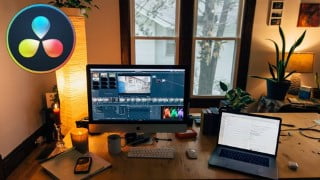

Learn how to edit videos using DaVinci Resolve in under 1 hour. This crash course covers essential aspects like syncing audio, adding B-roll footage, transitions, titles, and improving audio quality. Discover the power of this free software and take your video editing skills to the next level. Perfect for beginners and those looking to switch from Adobe Premiere Pro. Start now and unleash your creativity!
What you’ll learn
- Understanding the basics of the DaVinvi Resolve interface
- Understanding the various important settings to use
- How to use different functions and tools to edit your videos
- How to sync audio and video
- How to add B-roll footages
- How to add transitions
- How to add titles
- Improving the audio quality by removing noise
- How to export a video in DaVinci Resolve
- My advice on DaVinci Resolve vs Adobe Premiere Pro
Have you always wanted to learn how to use DaVinci Resolve to edit your videos?
Then you’ve come to the right place. In this course, you’ll learn how to use DaVinci Resolve in under 1 hour.
DaVince Resolve is a great and powerful video editing software that is FREE!
I’ve deliberately created this course like a short crash course because other longer courses out there will bore you to death. This course makes it exciting because you learn only what is REALLY ESSENTIAL so you don’t waste your time.
In this course I’ll be showing you how to use the latest DaVinci Resolve 17 to edit your videos. We’ll be covering all aspects of editing like:
Getting Started with DaVinci Resolve – Overview, Project Settings and importing
How to Sync Video and Audio in DaVinci Resolve
How to Trim Your Video in DaVinci Resolve
How to Add a B-Roll Footage in Your Video
Adding Transitions to Your Video
Adding Normal Titles and Lower Third Titles in DaVinci Resolve
Editing Audio – Effects and Audio Levels
Color Grading and Exporting Your Video
My Personal Opinion on DaVinci Resolve vs Adobe Premiere Pro
So don’t wait! Learning how to use this amazing free software can really take your video editing skill to the next level.
So Hop in and let’s get started 🙂
Who this course is for:
- People who want to learn how to edit their video using DaVinci Resolve Video Editor
User Reviews
Be the first to review “DaVinci Resolve for Beginner Video Editors”
You must be logged in to post a review.



There are no reviews yet.