
DaVinci Resolve for Professional Color Correction in Cinema
|
Learn different techniques to create images and transmit emotions through color
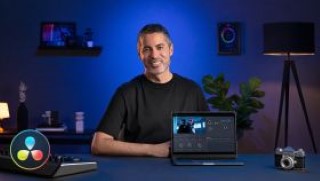
Color correction is so much more than just tweaking aesthetics, it has the power to transmit emotions, feelings, and personal experiences. Editor and colorist Luis Dengó is well aware of that fact. Join him and give a unique and professional touch to your images using DaVinci Resolve.
In this course, learn how to manage primary color correction tools such as noise reduction, color wheels, and luminance curves to have your material perfect primed for color grading.
Start by getting to know Luis Dengó and learn about his professional background as a colorist and the main influences on his work.
Next, check out the difference between a color space and profile, and see how the workflow unfolds when using DaVinci Resolve’s various correction tools to prep your material before the color is introduced.
Learn to recreate some of the most popular looks from the cinema industry like: Clean Grey Hollywood, Day for Night, Teal & Orange, Sci-Fi, Bleach Bypass, and Commercial TV. Then, add some VFX image effects to give your visuals a natural, realistic feel.
Luis shares some of his top tips for speeding up your workflow and giving your video an even more cinematic look.
User Reviews
Be the first to review “DaVinci Resolve for Professional Color Correction in Cinema”
You must be logged in to post a review.





There are no reviews yet.