
Designing 3D Chrome Letters in Procreate
|
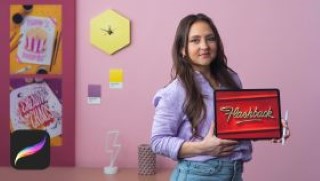
Bring energy and dimension to your lettering compositions by exploring colors, shadows, textures, and effects using the Procreate app
Just like illustration, lettering requires a lot of sketching, editing, and refining—a process made much easier by digital tools like Procreate. For lettering artist and graphic designer Aurelie Maron, it’s an essential tool for creating vibrant artwork that has seen her work with clients such as Uber, Cincinnati Magazine, and The Vegilantes.
In this online course, Aurelie teaches you how to draw your own words and give them dimension through special effects in Procreate. Explore her step-by-step process for creating realistic, retro-inspired lettering with a 3D chrome effect and take your lettering practice to the next level!
Begin the course by getting to know lettering artist Aurelie Maron. Discover the creative journey that led her to start her own studio along with the influences that inspire her.
Dive into the materials needed as well as some basic lettering techniques. Then learn how to draw script letterforms. Build a mood board of inspiration and decide on a word for your project before creating an initial sketch.
Prepare your canvas in Procreate, then refine your drawing, following Aurelie’s tips for creating cohesive letterforms. Develop the final shape of your word using the vector brush.
Learn how to add color and volume, as well as apply shadows and highlights to achieve a chrome effect. To wrap up the course, Aurelie shows you how to make the final adjustments to your image so it’s ready to share on social media.
User Reviews
Be the first to review “Designing 3D Chrome Letters in Procreate”
You must be logged in to post a review.



There are no reviews yet.