
Detailed Introduction to Ansys Workbench
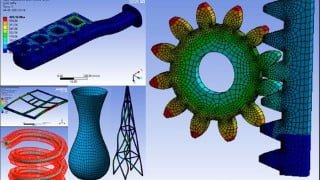

Learn the theoretical aspect of FEA and its implementation in commercial CAE codes like Ansys Workbench. Perform linear and non-linear structural analysis, thermal analysis, and validate results. Join now for maximum discount.
What you’ll learn
- Will be able to understand theoretical aspect of FEA and fundamental logic behind its implementation in commercial CAE codes such as Ansys Workbench
- Material creation through engineering data and CAD/Geometry modelling using Design Modeler
- Will be able to perform Linear and Non Linear structural analysis and review results in appropriate manner.
- Will be able to perform and corelate various types of thermal analysis.
******************* Joining Offer ****************************
In order to get maximum discount at the time of joining, contact me on
Whatsapp – +919890660581
Email – orvilleacademy18@gmail.com
******************* Course Structure ***************************
The course will take you on exciting journey of solving various engineering problem through FEA using ansys workbench.
Main theme of the course is to get you familiar with theoretical aspect of FEA and gradually moves towards more effective ways of solving problems. Along the with getting results from Ansys Workbench, more focus is given on verifying those results and corelating those results with physical situation. At the beginning of each module, theoretical aspect will be covered first and then we will solve problems using Ansys Workbench based on theory.
We will start with Theory of FEA , where you will get familiar with various ways in which you can find solution to given problem and the logic behind most of the CAE codes/tools/software’s.
Below is the brief outline of the course and various modules involved in the course.
Theory of FEA/CAE
Objective of this module is to get you familiar with FEA/CAE.
Understanding problem solving techniques.
How FEA works.
Ansys Workbench user interface.
Material Creation though engineering data
Getting familiar with material creating in ansys workbench
Importing and exporting of materials.
Design Modeler
Objective of this module is to become proficient in CAD/Geometric modelling.
Extensive and in depth sessions are provided related to each option that Ansys Workbench has to offer.
Introduction to Meshing
Getting familiar with various options available in Ansys Workbench for meshing.
Linear Static Structural Analysis
Theory of static structural analysis.
Understanding loads and boundary conditions in CAE.
In depth look at each boundary condition with example.
Project : Allen Key Analysis
Modal Analysis
Theory of modal analysis and governing equation.
Examples on Gear, Plate, Prestress Wing.
Advanced topic of mode participation factor.
Project : Frame Structure modal analysis.
Buckling Analysis
Theory of buckling analysis.
Column Buckling with analytical correlation.
Examples on connecting rod and mobile tower.
Non Linear Structural Analysis
Theory of Non Linear Analysis.
Types of non linearities.
Controlling non linear analysis.
Problems involving non linearities.
Steady State Thermal Analysis
Theory of steady state thermal analysis.
CAE solutions and co-relation with formulae’s.
Problems involving heating coil, bar.
Transient Thermal Analysis
Theory of transient thermal analysis.
Transient Thermal vs Steady State Thermal
Project : Intake Manifold
Dynamic Analysis
Types of structural analysis.
Types of dynamic analysis.
Explicit Analysis
Taylor Test/ Cylinder Impact
Parametric Study on cylinder impact
Pipe Impact Analysis
Solution accuracy validation : Energy Error
Design/Topology Optimization
Introduction to Design Optimization
Example : Bridge Optimization
Example : C-Clip
Example : L Plate
Last section will be placed for your doubts. I will update this session with answers to all of your doubt
******************* Course Updates ***************************
1. Added new section on topology optimization.
2.Added new examples on topology optimization.
3.Added new video titled “Implicit vs Explicit”.
Who this course is for:
- Mechanical, Automobile , Aeronautical engineering students and professionals
- Anyone who wants an insight into validation of products
User Reviews
Be the first to review “Detailed Introduction to Ansys Workbench”
You must be logged in to post a review.




There are no reviews yet.