
Digital Lettering with Illustrator and Photoshop
|
Learn to create combinations by combining different lettering styles
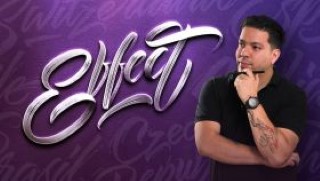
Daniel Hosoya – graphic designer specialized in the creation of digital letters – experimenting with typographies to create designs with strength and character, designing his own letterings. This is how his love for letters was born. More than ten years have passed since then and in this time he has collaborated with clients such as Ford, Modelo and Grupo Expansión.
In this course, Daniel will teach you different ways to create letters using digital tools.
You will begin knowing Daniel’s work and his influences. In the first lessons he will explain what is lettering and its difference with other disciplines in which the lyrics are also protagonists: calligraphy and typography.
You will also learn fundamental concepts for drawing letters, such as height, modulation and optical adjustment. In addition, Daniel will show you how to draw hand lettering with brush pen and you will discover some very useful warm-up exercises for this type of technique.
Next, you will see principles of composition, essential to create a harmonic and readable layout. Once you have made your sketch, Daniel will explain how to vectorize the design in a practical and simple way.
You will learn to create different types of letters in a completely digital way, starting with a modular typeface based on geometric shapes. Afterwards, you will make a monoline design and you will see how to create your own brushes to be able to draw your letters directly in Illustrator.
User Reviews
Be the first to review “Digital Lettering with Illustrator and Photoshop”
You must be logged in to post a review.





There are no reviews yet.