
Documentary Photography for Commercial Use
|
Manage your pictures in Bridge and retouch them professionally in Photoshop
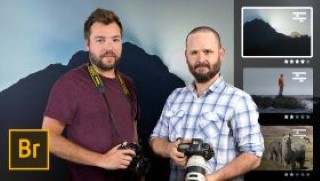
Face a large production of images, develop photo shoots, manage technical and human teams, carry out the editing process from the download of the material, select themes, classify images to post-production and calibration of RAW files and export to send to customers in different formats; These are the tasks facing daily, Álvaro and Nano from the producer CONTRA. They work generating image banks that manage to convey the spirit of direct clients, advertising agencies and design studios that have the need to have their own photographic and audiovisual material.
In this course, CONTRA will guide you so that you can create an image bank for yourself or for a client, showing you how to organize, manage and manage large volumes of files.
You will start the course knowing CONTRA, or what is the same, Álvaro and Nano. They will explain to you what their trajectory in photography has been, how they deal with projects working as a team, and their influences.
You will see how to approach a project of management and creation of large volumes of photographs (image bank) that will later be delivered to the client – although the process is replicable for your personal projects. You will learn to deal with documentary-looking advertising photographs, thus managing to tell stories but with professional advertising quality.
You will see how to plan together with the client, identifying what is the specific need of a session to define the work day and budget it. Also, you will review the essential equipment and materials to get started.
You will discover how to download all the camera material, create folders in Bridge, copy them in them and formats to leave all the raw material on the hard drives.
User Reviews
Be the first to review “Documentary Photography for Commercial Use”
You must be logged in to post a review.



There are no reviews yet.