
Edit images in Photopea – Absolute Beginner (free Photoshop)
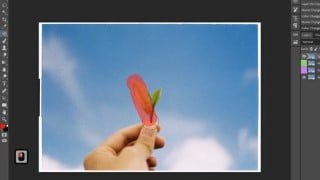

Learn how to remove unwanted objects from your photos and edit them like a pro with our easy and fun course on Photopea. No prior knowledge or advanced computer skills required. Suitable for beginners and those new to image editing. Join now and make your photos look amazing!
What you’ll learn
- Remove any unwanted objects from the image.
- Change the text from the image to another language
- Re-create parts of the image
- Create or edit content for marketing, web pages or social media
Welcome to our easy and fun course on Photopea! We’re here to teach you how to remove those unwanted things from your photos, so they look their best. You don’t need any fancy computer skills to take this course, we’ll walk you through everything step by step.
No matter what device you’re using, as long as it has a browser – whether it’s a PC, Mac, iPad, or Android device, even Phones.
In this course, you’ll learn:
· How to use simple tools like the Clone tool, Healing Brush, and Content-Aware Fill to cover up things you don’t want in your photos
· How to blend everything together so it looks natural.
· Real-life examples and hands-on exercises to help you understand and master the tools
· Tips and tricks to avoid common mistakes while using these tools
· This course is beginner-friendly and does not require any prior knowledge or advanced computer skills
· The course is designed to be easy and fun, with a happy and positive tone throughout.
We will also provide you with an on-screen shortcut display layout on the left side of your screen, it will help you understand and follow the steps.
By the end of this course, you’ll be able to edit your own photos like a pro and make them look amazing!
So let’s get started and have some fun with Photopea!
Who this course is for:
- A course for those who are completely new to image editing.
- A tutorial for people who want to edit images to remove undesired elements
User Reviews
Be the first to review “Edit images in Photopea – Absolute Beginner (free Photoshop)”
You must be logged in to post a review.




There are no reviews yet.