
Final Cut Pro X Training Tutorial for Beginners
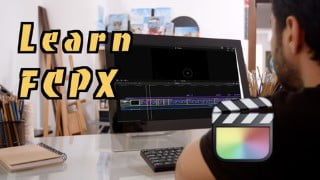

Learn to edit videos with Final Cut Pro X (FCPX) and solve problems effortlessly. This course offers concise and practical tutorials for Mac users and beginners in video editing. From importing and arranging videos to creating stunning effects, color grading, and adding subtitles, you’ll gain valuable skills. Say goodbye to lengthy YouTube videos and start your own YouTube channel or become a Vlogger with this comprehensive course. Invest in yourself and become a skilled video editor with Final Cut Pro X techniques. Perfect for Mac users and beginners in video editing.
What you’ll learn
- Learn to Edit Video with Final Cut Pro X (FCPX)
- Learn How to Solve problems in Final Cut Pro X (FCPX)
- Create Stunning and Professional Looking Videos with Ease
From this course, you can learn simple Final Cut Pro X tools and techniques with Training Tutorial Videos
You will know how to create titles, transitions, and colour-grade using Final Cut Pro X:
After a total of 15 well-planned lectures, you will learn how to:
Import and arrange your videos, create and transfer your libraries to external hard drives, stitch videos together, replace audio, balance sounds, create simple text effects, colour grading, add in SRT subtitles, change the timeline resolution and many more… All the training tutorials and lectures are designed to be short and succinct, with no repetitive contents and straight to the point sharing of Final Cut Pro X Techniques for beginners.
This course also comes with quick fixes to potential problems with various versions of Final Cut Pro X : you will be learning from training tutorials how to solve rendering stuck problems, transition problems, titles missing problems, plugins not working problems, and other issues that are simple to solve yet bugging up your video editing process.
After this introductory course, you can start your own YouTube channel, be a Vlogger and make your own films!
In SHORT:
IF – you are interested in making your own videos/ you are a Vlogger wannabe/ YouTuber yet to be,
AND- are TOO LAZY to watch those lengthy and naggy YouTube videos and courses,
TRY ME!!!
Invest in yourself – you would not regret this spending, and these tutorials will instantly equip you with practical useful Final Cut Pro X techniques as a video editor via my training tutorial videos.
Who this course is for:
- Mac Users
- Video Editors
- Beginners curious to learn video editing techniques
User Reviews
Be the first to review “Final Cut Pro X Training Tutorial for Beginners”
You must be logged in to post a review.



There are no reviews yet.