
Free After Effects Tutorial – Puppet Pin Rigging in After Effects
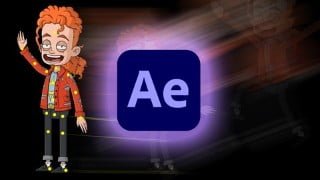

Learn character animation using the Puppet Pin Tool in After Effects. Import PSD files, apply pins, create meshes, and export animations. Perfect for students and animators looking to enhance their skills.
In this course I will take you through the process of rigging and animating a character using the Puppet Pin Tool in After Effects. Throughout the course we will be importing a PSD file, grouping layers, applying pins, and creating a simple animation. More specifically, main topics for this course include:
Overviewing character setup and design
Importing multi-Layer assets in After Effects
Assembling main body parts into compositions
Adjusting Expansion and Density for puppet meshes
Creating multiple meshes
Creating animation with the pins
Polishing animation
Exporting animation
Who this course is for:
- Students interested in animating
- Students who want to learn character animation
- Animators looking to add new tricks to their workflow
User Reviews
Be the first to review “Free After Effects Tutorial – Puppet Pin Rigging in After Effects”
You must be logged in to post a review.




There are no reviews yet.