
Free AI Content Generation Tutorial – Sora AI: Master AI Video Generation | SoraAI Beginner to Pro
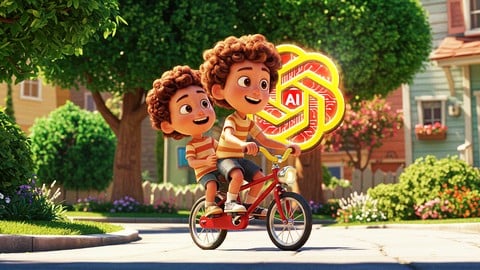

Greetings, everyone
My name is Faizan, and I’m an experienced Udemy Instructor.
If You Want To Learn Kling AI Video Generation Techniques Than This Course is For You. In This Course, You Will Learn Complete Kling AI.
I Design This Course For Self Thought Students. By watching this course and performing the activities shown in the video, you will learn these video Generation techniques.
I Explained Every Tiny Detail Step By Step and Make it Easy For You So You Can Catch up With Me.
Open AI Sora Introduction:
Sora AI takes written prompts or images and seamlessly converts them into dynamic videos. Whether you’re looking to produce marketing content, educational materials, or social media clips, Sora AI delivers high-quality results with minimal effort.
Image to Video
Convert images into vibrant videos Expressing creative visual ideas
Text to Video
Input prompts and generate videos Cinematic-grade visuals produced
Key Features:
Remix – Combine various styles, effects, or elements for fresh and engaging visuals.
Storyboard – Plan and organize your content for a clear, coherent sequence.
Blend – Seamlessly merge images and videos to create visually compelling results.
Loop – Build repeating segments that add an artistic or rhythmic touch to your project.
Preset – Save your favorite settings and styles for quick, one-click application in future videos.
Benefits:
Time-Saving: Eliminate the need for complex editing software and hours of manual work.
User-Friendly: With an intuitive interface, even beginners can quickly create polished videos.
Customization: Adjust themes, styles, and transitions to match your unique brand or vision.
Cost-Effective: Reduce the expenses related to traditional video production.
Sora AI Uses:
Marketing Campaigns: Generate eye-catching promotional videos for social media and ads.
Educational Content: Quickly produce lessons, tutorials, or explainer videos.
Storytelling: Bring written stories or scripts to life with visual narratives.
Personal Projects: Create fun videos for special occasions, events, or hobbies.
What You Will Learn in this AI Video Course:
Sora AI Video Generation Process
How to Write Precise Prompt
Generate Realistic Video With Simple Prompt
How to Generate Text to Videos
How to Write Impressive Prompt
How to Turn Images to Videos
How to Use Preset
How to Create Your Own Custom Preset
How to Create Good Storyboard AI Video
How to Blend Clips
How to Apply Transition in Sora
How to Loop Videos
How to Apply Different Camera Movements in AI Videos
And More
Who this course is for:
- AI Content Creator That Looking to Explore Video Generation.
- Youtubers Want to Level Up Their Content.
- Social Media Content Creators Who Want to Generate AI Videos.
User Reviews
Be the first to review “Free AI Content Generation Tutorial – Sora AI: Master AI Video Generation | SoraAI Beginner to Pro”
You must be logged in to post a review.





There are no reviews yet.