
Free Alternatives to Microsoft Office Suite
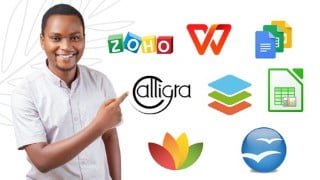

Looking for free alternatives to Microsoft Office? This course introduces 9 options, including LibreOffice, OnlyOffice, and Google Office Suite. Designed for beginners and intermediate users, learn how to cut costs while still enjoying document processing and file management. Download and install your preferred software, create and edit documents, and save them in a format compatible with MS Office. Share your success or any issues encountered. Perfect for those looking to enhance productivity without breaking the bank.
What you’ll learn
- How to use Libre office
- How to use Only office
- How to use Free office
- How to use Calligra office
- How to use WPS office suite
- How to use Google office suite
- How to use Open office
- How to use Zoho office
YES! Microsoft office remains one of the best platforms for document processing and data management. However, it is becoming more expensive day by day, it is better to look out for alternatives to it that is free of charge and contains similar or even better features for your productivity.
I am Dr. Rasheed, a speech and presentation coach. I have used Microsoft office suite for most of my online and offline data management. I have recently tried these free alternatives and my experience had changed and I assure you they are worth trying.
This course is designed for beginners and intermediate users of Microsoft office suite who are looking to cut cost and have a good experience in document processing. The software are loaded with new features and graphics.
In this course, I have explained my top 9 Microsoft office alternatives for productivity in document processing and file management.
The best part of these software is that documents can be outputted in formats that can still be opened in Microsoft office platforms.
These alternatives include:
1. Libre office
2. Only office
3. Free office
4. Google office suite
5. Calligra office
6. WPS office
7. Open office
8. Zoho office
9. Only office online
Download any of the software according to your choice, install and run it to create and edit any document of your choice. Remember to try saving it in a format compatible with MS office and try to open the document.
Report any success or otherwise here.
Who this course is for:
- Beginners and intermediate users of the Microsoft office
User Reviews
Be the first to review “Free Alternatives to Microsoft Office Suite”
You must be logged in to post a review.




There are no reviews yet.