
Free Chrome Developer Tools Tutorial – Chromebook Tech Support
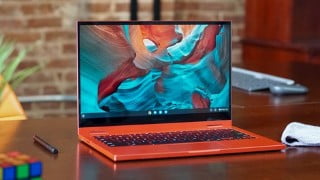

Learn how to firmware restore your Chromebook and troubleshoot common problems with Phonlab’s training platform. Gain skills like factory reset, FRP removal, and more. Join now and stay ahead in the rapidly growing trend of software support in mobile repair.
In this course you will learn how to firmware restore your Chromebook along with troubleshoot common problems. It is a fun and simple class to take that will help you understand the kind of skills you will gain by joining Phonlab. Learn skills like firmware restore, factory reset, turning on developer mode, running Linux development tools and much more. Phonlab is a training platform for Smartphone techs that want to learn the skills needed to perform software support for customers phones and mobile devices. Did you know that software support is the fastest growing trend in mobile repair? Take advantage of this rapidly growing skillset and start learning the tricks of the trade. Factory Reset Protection / FRP removal and bypass methods. The Phonlab team has developed many tools and apps to help with this security problem including MotoReaper, GalaxyReaper, and the new Phonlab FRP app. Using these tools and others available in the Phonlab Smartphone tech course you can remove FRP on almost every phone and security patch level. If you are interested in continue to train with our instructor RootJunky then you need to check out our site Phonlabtech and out main course with over 400 lessons included in it.
Who this course is for:
- Anyone that wants to learn more about Chromebooks and cool things you can do with them.
User Reviews
Be the first to review “Free Chrome Developer Tools Tutorial – Chromebook Tech Support”
You must be logged in to post a review.





There are no reviews yet.