
Free Digital Painting Tutorial – Artistic Digital Portrait Painting
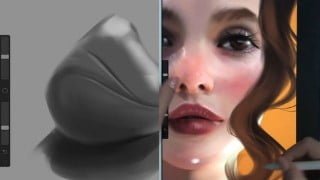

Learn the art of painting appealing and photo-realistic digital portraits with this comprehensive course. Perfect for beginners to advanced digital artists, it covers skin tones, eyes, noses, lips, ears, hair, working with references, sculpting approach, smart rendering, and light and shadow effects. Ideal for portrait artists, concept art designers, and anyone interested in digital painting.
A practical and complete course on painting appealing and photo-realistic digital portraits by an experienced digital artist specialized in portraiting.
The course contains 10 parts, each part under 10 minutes of video content, featuring a beginner to advanced introduction to the techniques and best practices in painting artistic digital portraits. The program of the course is following:
Skin tones: choosing skin colours, creating palettes, using the colour wheel in graphic software to help choose the right tones, using non-standard colours for skin.
Eyes: eye shapes and proportions, anatomy, perspective, application of shadows, walk-through of the whole process on the eye painting.
Noses: nose shapes and proportions, anatomy, perspective, application of shadows, walk-through of the whole process on the nose painting.
Lips: lips shapes and proportions, anatomy, perspective, application of shadows, walk-through of the whole process on the lips painting.
Ears: ears shapes and proportions, anatomy, perspective, application of shadows, walk-through of the whole process on the ear painting.
Hair: basic hair shaping, work from basic shapes to details, matching the hairstyle shape to the face.
How to work with references (portrait edition): the use of reference photos, techniques for recreating characters from photos, useful vs. useless parts of the reference photos, using one vs. many photos, the use of 3D software.
Sculpting approach to painting: painting without the use of a sketch and guide lines, “building/sculpting” the painting and treating it as clay that can be distorted, cut, rebuilt, reshaped at any time.
Smart rendering: indicating when it is worth to focus on details and when it is unnecessary, deliberately leaving “unfinished” objects/parts of a painting to achieve specific results.
Light and shadow as an aftereffect: adding “dramatic” light effects at the end of the painting process (when it’s finished/almost finished), “saving” an average work with interesting character lighting, overview of useful layers.
Who this course is for:
- Digital artists – beginners to advanced
- Computer graphics designers
- Portrait artists
- Concept art designers
- All who want to learn how to paint digitally
User Reviews
Be the first to review “Free Digital Painting Tutorial – Artistic Digital Portrait Painting”
You must be logged in to post a review.




There are no reviews yet.